

Import from a search
Click Import…, choose a List and how many people to add (up to 999), and Guhan goes through the result pages for you, a few seconds apart, the way you’d browse. Keep the LinkedIn tab open while it runs. When LinkedIn shows a person’s current title and company in the results, those come along.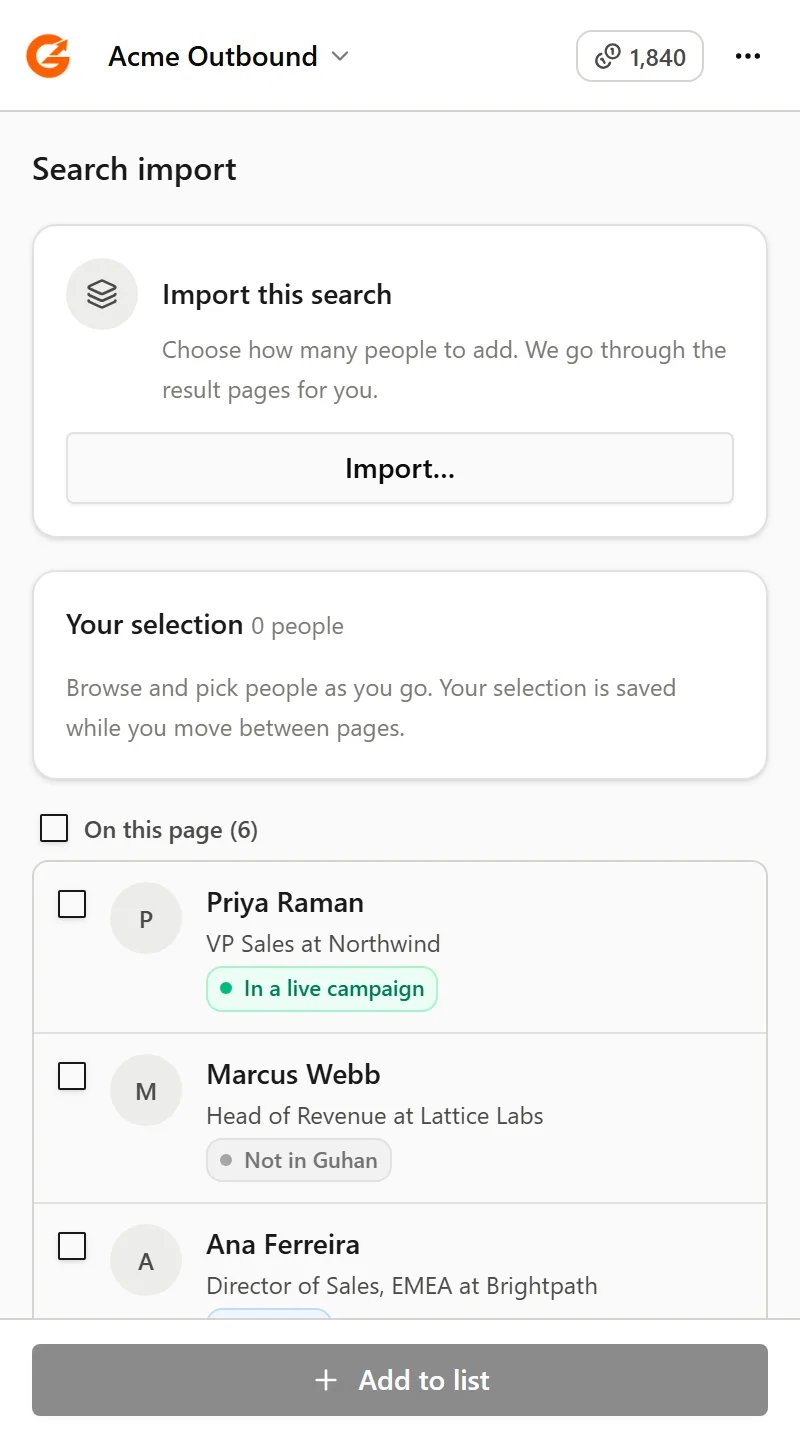
Import from this search: you choose how many, and every person shows their status in Guhan
Pick people as you go
Instead of importing a whole search, tick the people you want. Your picks are kept as you move through the result pages of that search, then Add to list adds them together. Start a different search and you start with a fresh selection, so picks from earlier browsing never carry into the next import.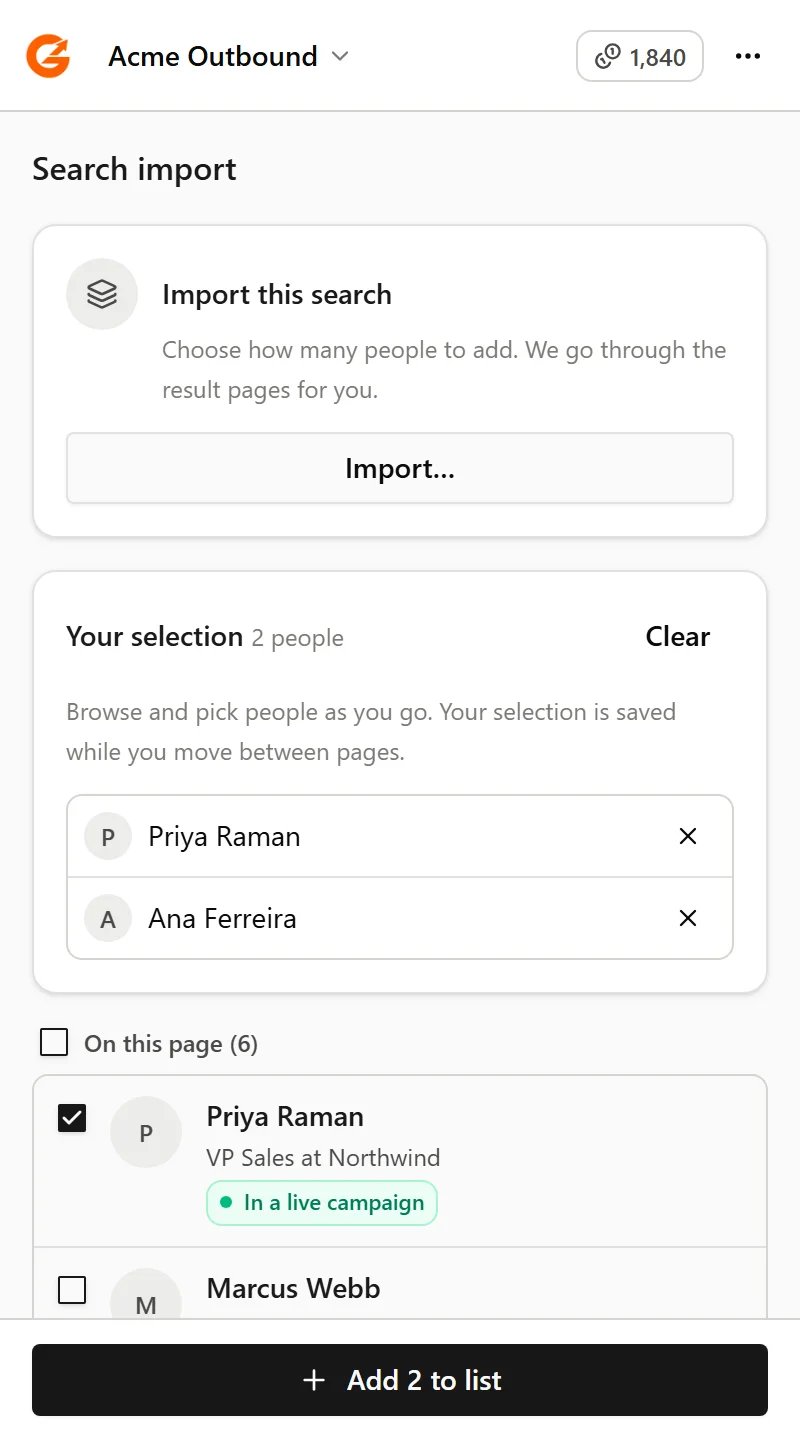
Your selection across pages, with an Add to list button
Watch it work
A progress card at the top shows how many people were added, were already in the List, or couldn’t be added. Pause or stop whenever you like; everyone already added stays added.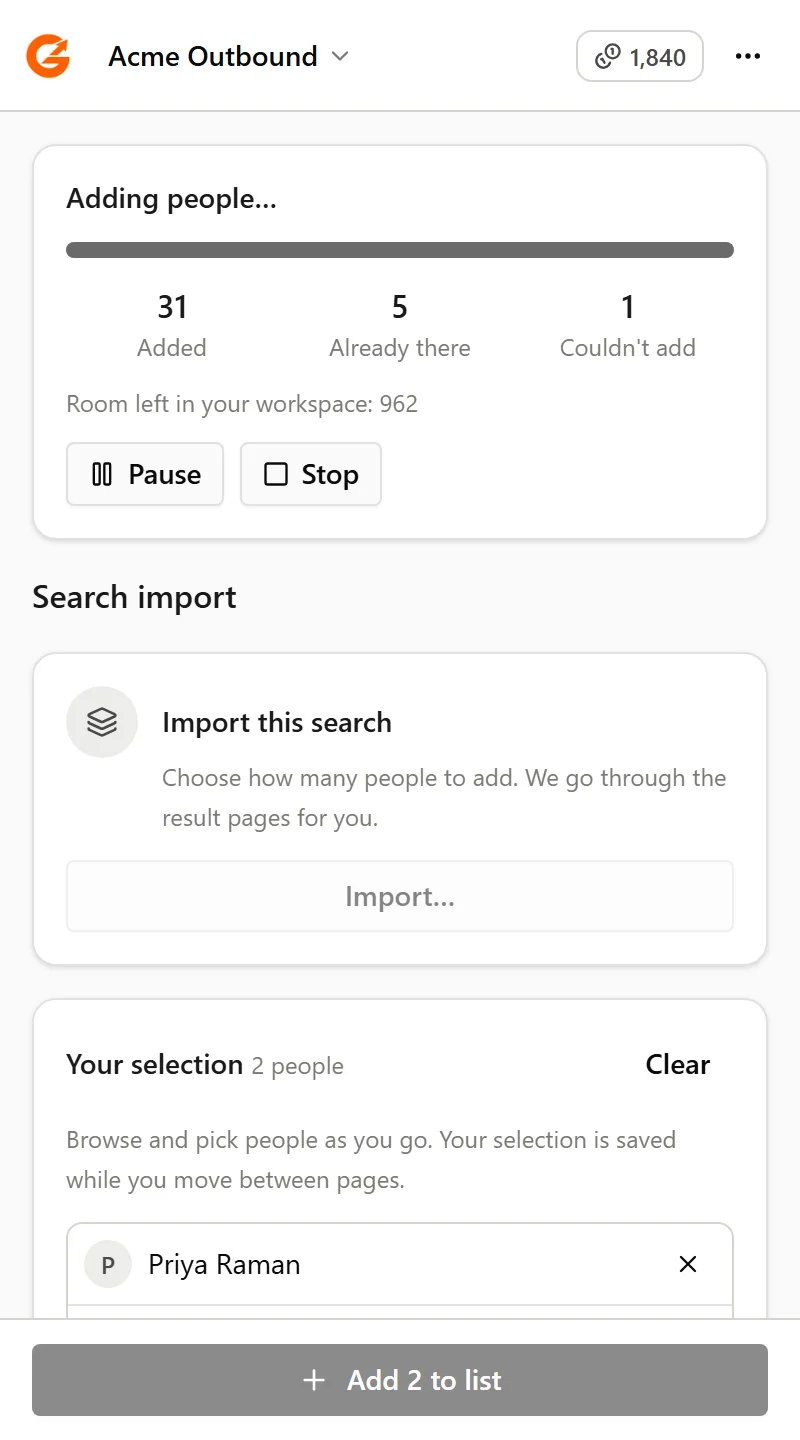
Progress for a running import, with Pause and Stop
If an import stops partway
LinkedIn may have asked you to check something, or the tab was closed. Look at the LinkedIn tab, finish anything it asks for, then start the import again. People already added stay added, and anyone already in the List is skipped.Related
Company, event and network pages
The same import on a company’s employees, an event’s attendees, or your followers.
Lists
Where the people you add end up.