

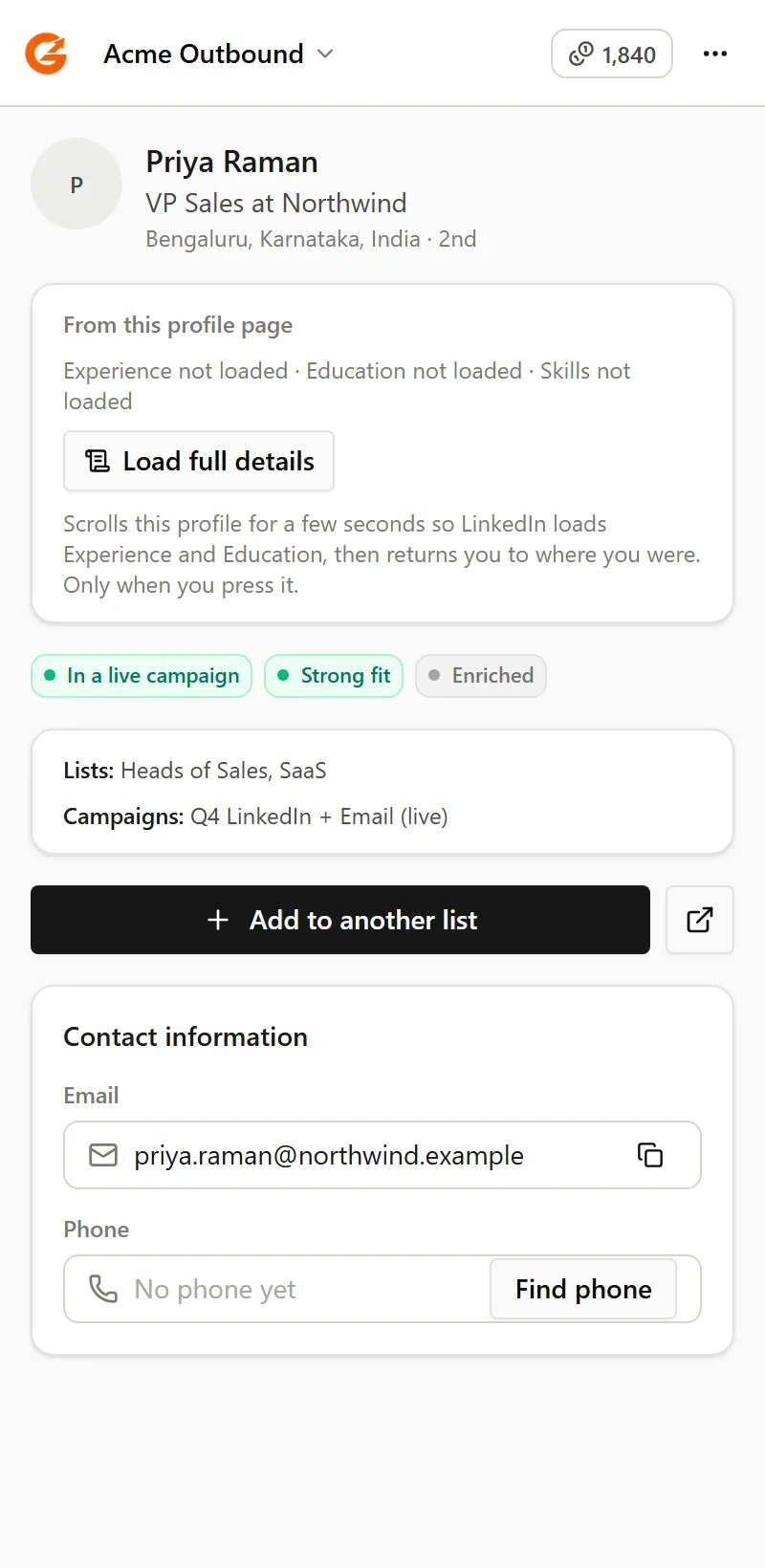
The Guhan panel beside a LinkedIn profile: who they are in Guhan, and what you can do next
What you can do
See who's already in Guhan
Every profile and search result shows whether the person is new, on a List, in a live Campaign, has replied, or is marked Do Not Contact.
Add people to a List
One person from their profile, or many from a search. Active Campaigns pick them up automatically.
Import from a search
Choose how many people to add, up to 999, and Guhan goes through the result pages for you.
Read the full profile
Load a profile’s Experience and Education so the job title and company come with the person.
Enrich after adding
Optionally add work email, phone, a research brief and more. The exact cost is shown first.
Company, event and network pages
Import a company’s employees, an event’s attendees, or your own followers and following.
Read-only on LinkedIn
The extension only reads. It never sends a message, an invite, a comment or a follow on LinkedIn. Everything you send goes out from Guhan, through your sender accounts and their sending limits. See Safety and troubleshooting.Related
Get started
Install the extension and connect your account.
Import leads
Find people from the Prospects page with a search, a signal or a CSV.