

See who’s already in Guhan
Open anyone’s profile. Under their name the panel shows where they stand, so you never add or message the same person twice:
You may also see Strong fit (or a weaker fit) and Enriched, and below that the Lists and Campaigns they belong to.
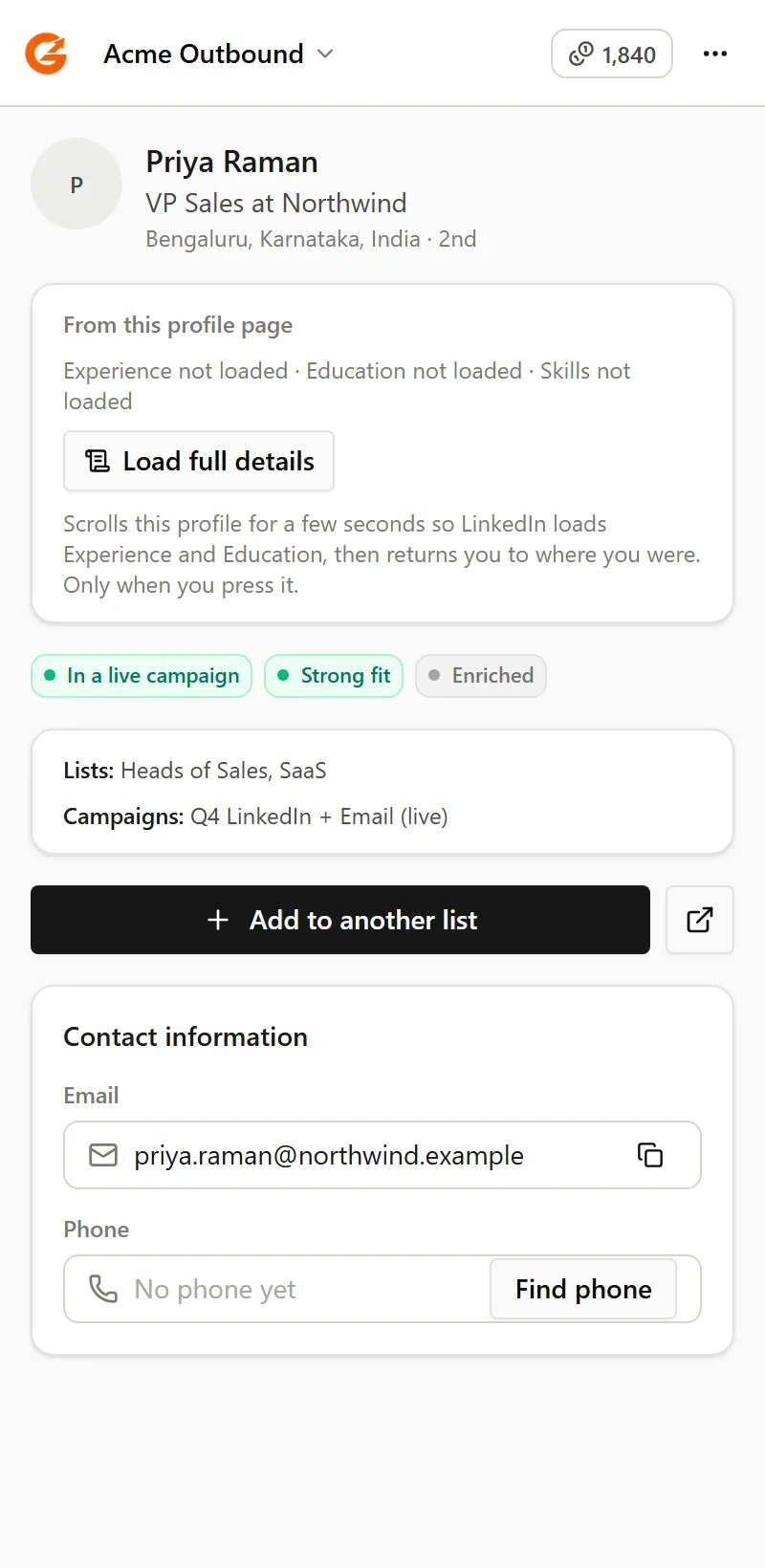
A person who's in a live Campaign, with their Lists and Campaigns, and the Find email and Find phone options
Add them to a List
Click Add to list, then choose a List or create a new one.- Lists that are fed by a search or a signal aren’t offered, because those fill themselves. Pick or create a List you add to by hand.
- If an active Campaign uses the List, the panel tells you before you add. New people join that Campaign automatically, the same as anywhere else in Guhan.
- Adding someone is free. Your plan’s active-prospect limit still applies, and the panel shows how much room you have left.
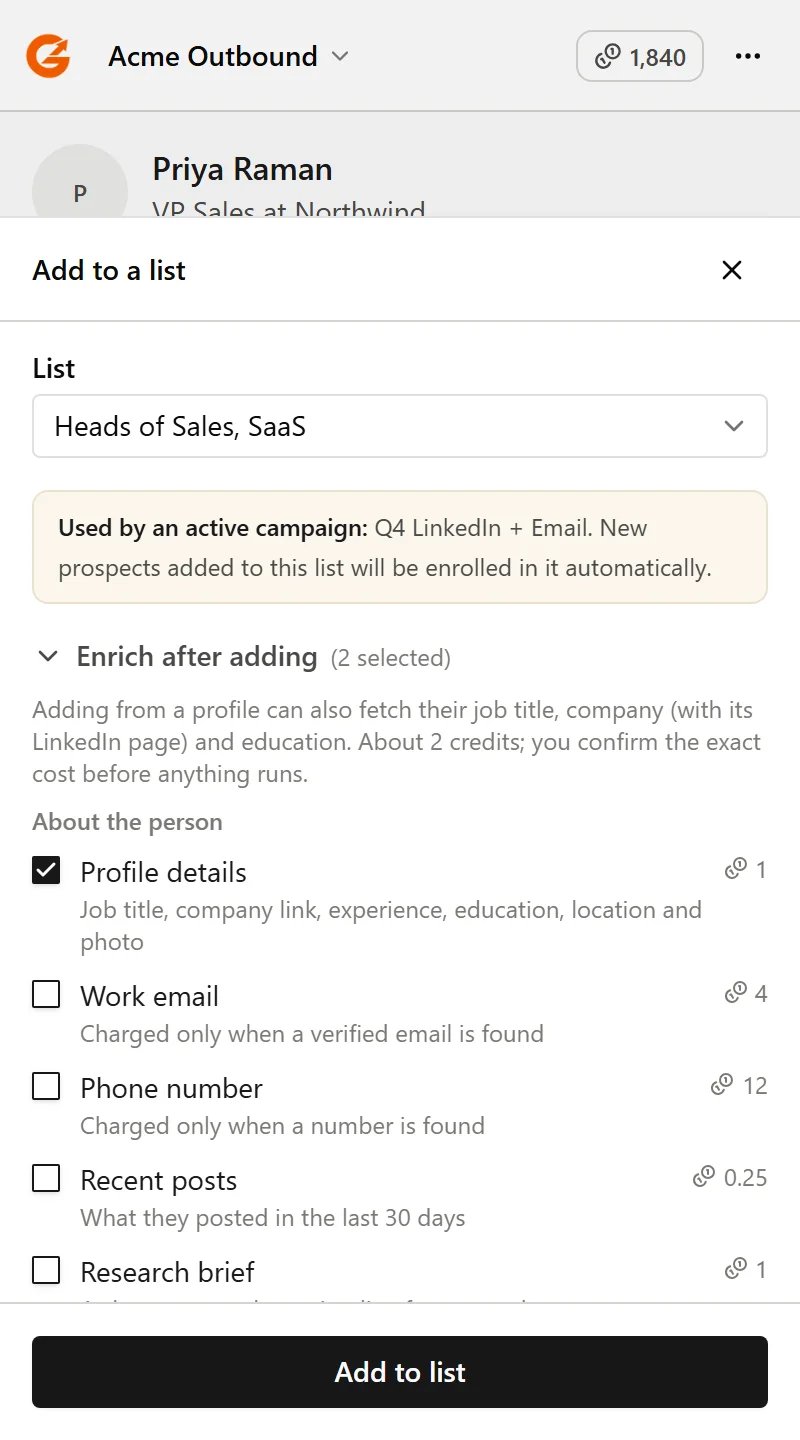
Choose a List, see which active Campaign will pick people up, and optionally enrich after adding
Read the full profile
LinkedIn only loads a profile’s Experience and Education when you scroll down to them, so at first the panel can’t see them. Click Load full details and Guhan scrolls that profile for a few seconds, reads the current job and company, schools and top skills, then takes you back to where you were. It only happens when you click. When you then add the person, the job title and company come with them.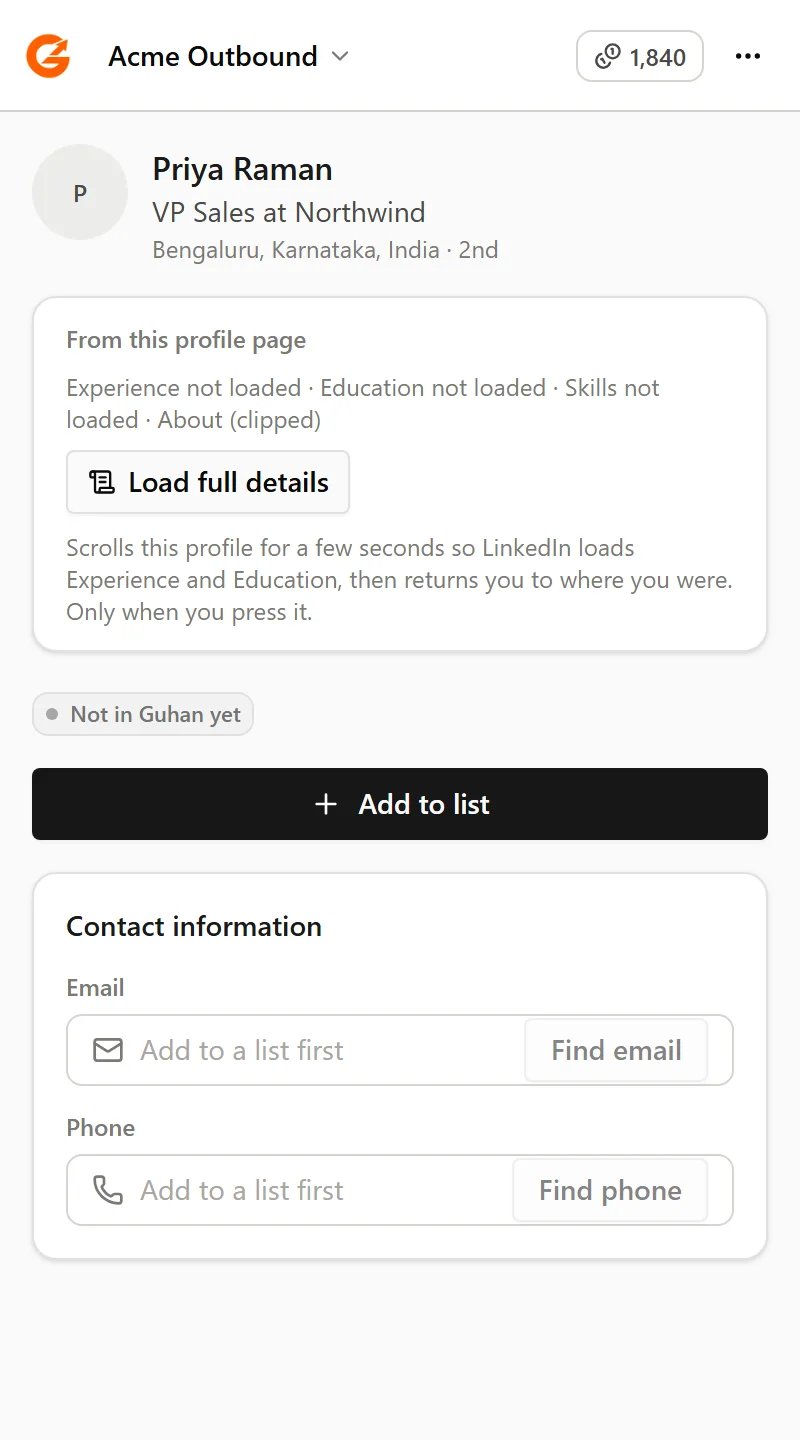
Experience and Education load when you click Load full details
Enrich them after adding
When you add someone, you can also choose to enrich them: profile details, work email, phone number, recent posts, a research brief, company details and company posts. Nothing is ticked by default, except that adding from a profile page ticks profile details and company details for you. You can untick them. Nothing is charged while people are being added. When the add finishes, a card shows exactly how many people will be enriched and what it will cost, and runs only when you click Enrich. Costs are on Plans and credits. See also Enrichment.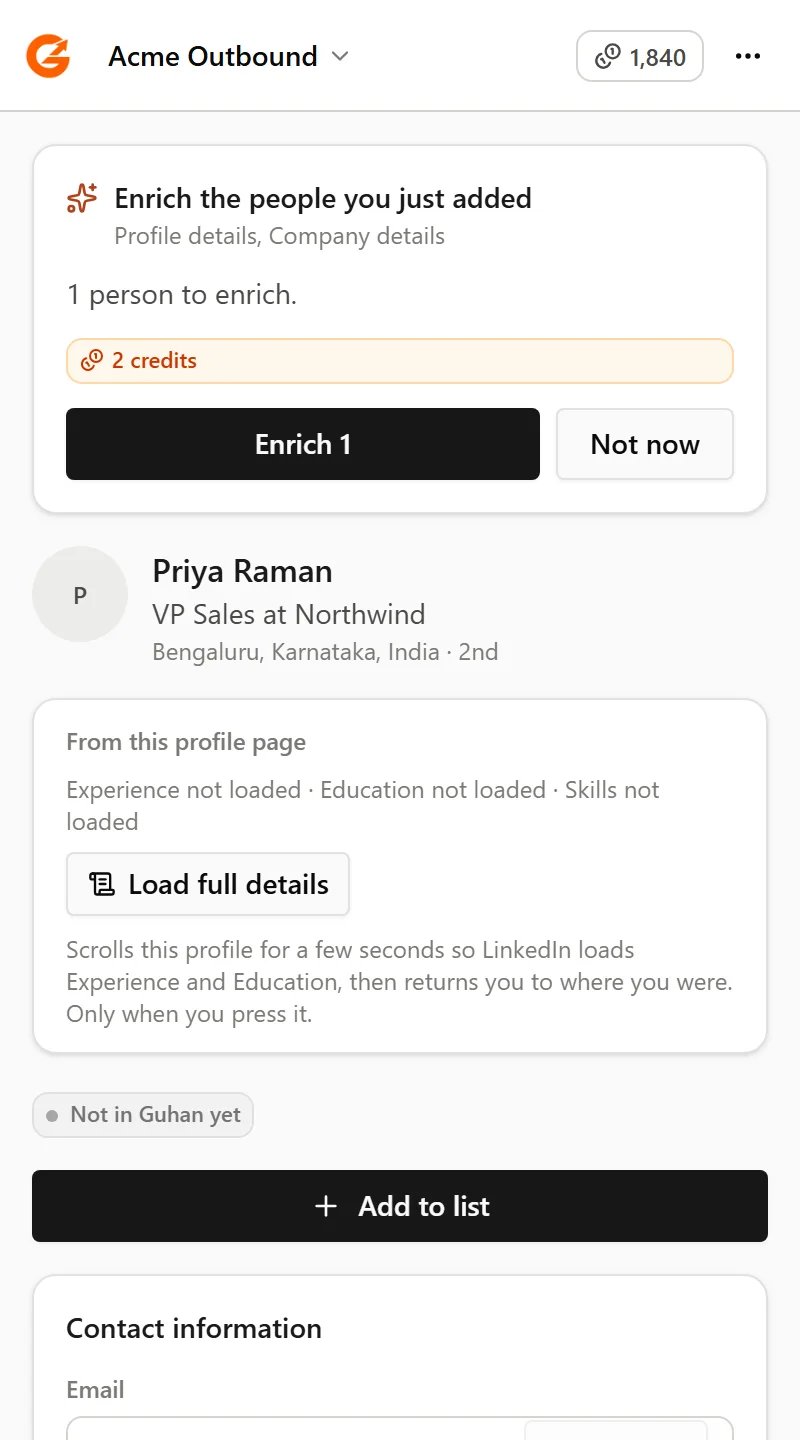
The exact cost is shown first. Nothing runs until you click Enrich
Find an email or a phone number
The contact section shows the cost before anything happens, and you’re charged only if a verified email or a number is found.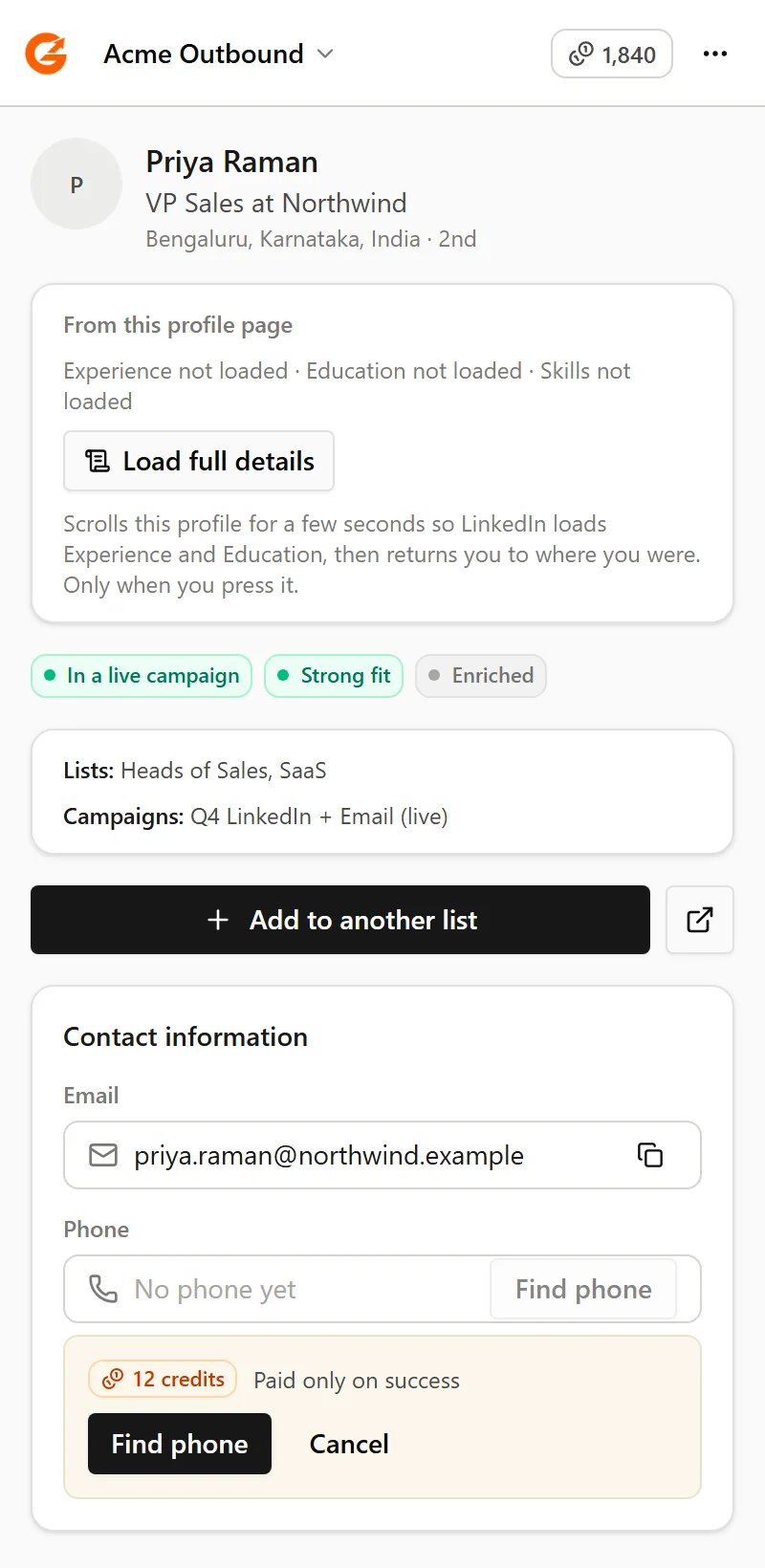
You confirm the cost first, and it's charged only when something is found
Related
Searches and imports
Bring a whole search into a List.
Plans and credits
What costs credits, and how much.