

The plan
Manage your plan under Settings → Billing. Only admins can change it.
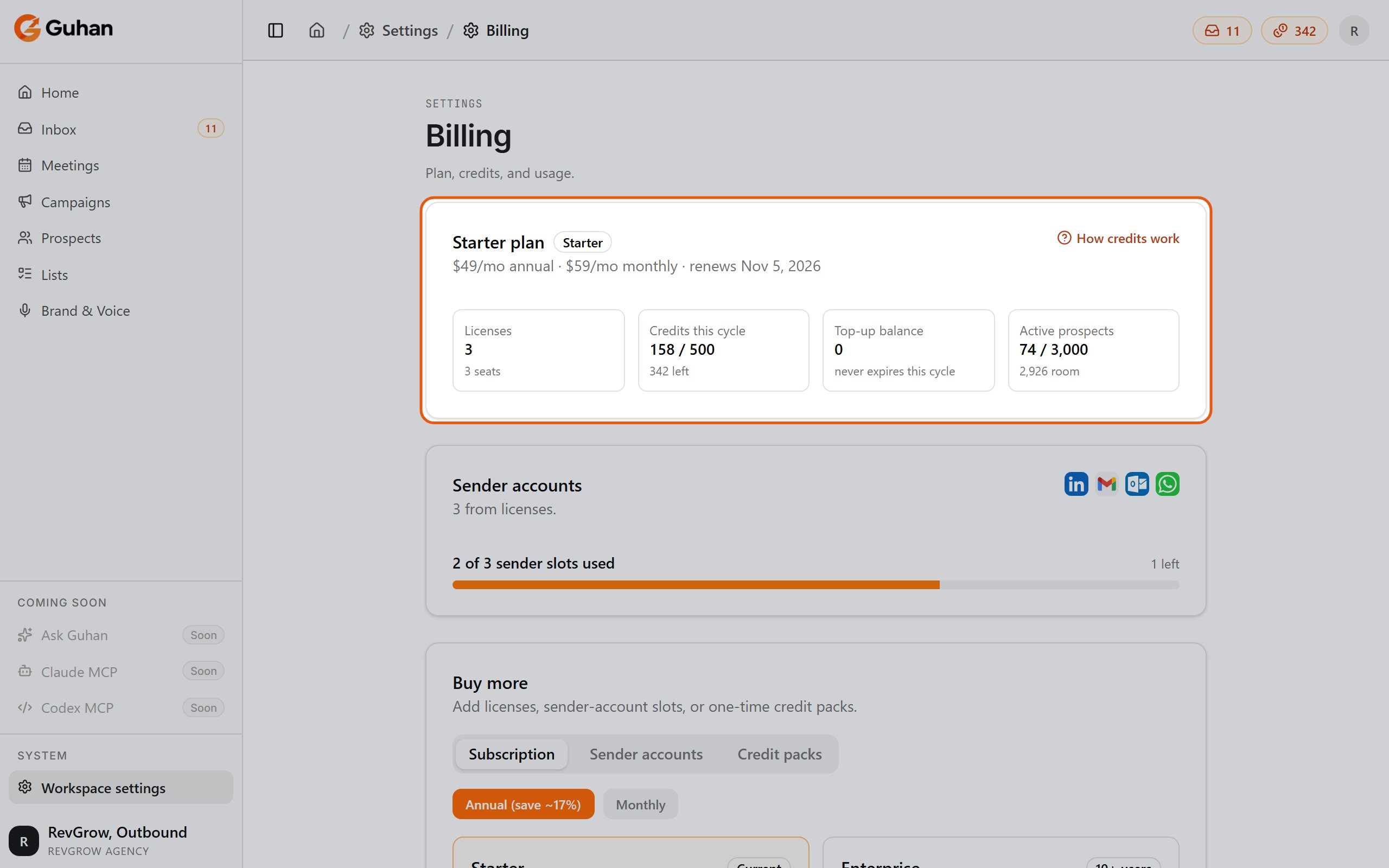
Settings, Billing: your plan, licenses, credits this cycle and active prospects
What costs credits
This table is the single source of truth for credit costs.
Sending itself is free. Invites, DMs, emails, and WhatsApp messages never cost credits. They are limited by daily caps on each sender account instead. See Sending safety.
Email and phone reveals are charged only when a result is found, and a research brief is refunded if Guhan fails to produce one.
How credits work
Your workspace has two balances:- Monthly credits refill to 2,000 per license each cycle. Unused monthly credits don’t carry over.
- Top-up credits come from packs. They last 12 months and are spent after your monthly credits run out.
Credit packs
Buy from the Credit packs tab on the Billing page.
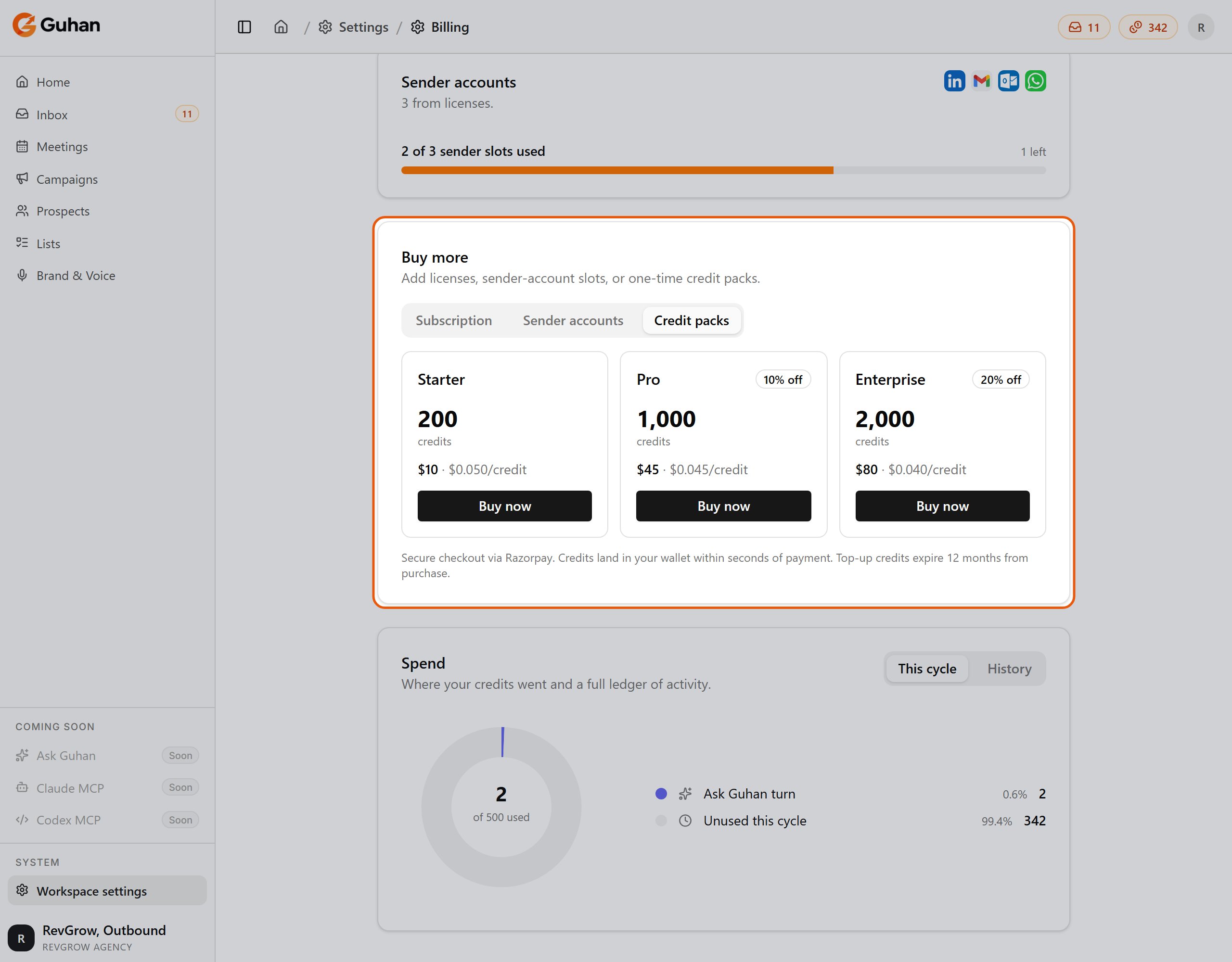
Billing, Buy more: the Credit packs tab offers one-time top-ups that last 12 months
When you run out
Actions that spend credits are refused until you add a pack or your next cycle starts. In practice, Lists stop adding new prospects, enrichment and reveals stop, and Guhan can’t draft new messages. A banner at the top of the app tells you.Trial
New workspaces start with a 7-day trial and 500 credits. No credit card required to start — subscribe from Settings → Billing anytime to continue past the trial. When your subscription starts, the balance resets to 2,000 credits per license, so unspent trial credits don’t roll over.Read-only mode
A workspace becomes read-only when the trial ends without a subscription, or when a failed renewal isn’t fixed within a 7-day grace period. In read-only mode, watches and sends stop, but your data and any unused credits are kept. Updating your payment method or subscribing lifts it.Cancelling
Admins can cancel from the Subscription tab on Settings → Billing; the link is at the bottom of the tab. Your workspace keeps working until the end of the trial or paid period, then watches and sends stop. Unused credits are kept.If something’s off
- Balance looks wrong. Refresh, then check the history on the Billing page for the charge in question.
- Can’t add a license or sender. Only admins can change billing, and reducing licenses is blocked if it would leave you with more members or connected senders than licenses.
- Payment failed. Update your payment method under Billing. See Troubleshooting.
Related
Roles and permissions
Who can change billing.
Enrichment
Choose which enrichment steps run automatically.