

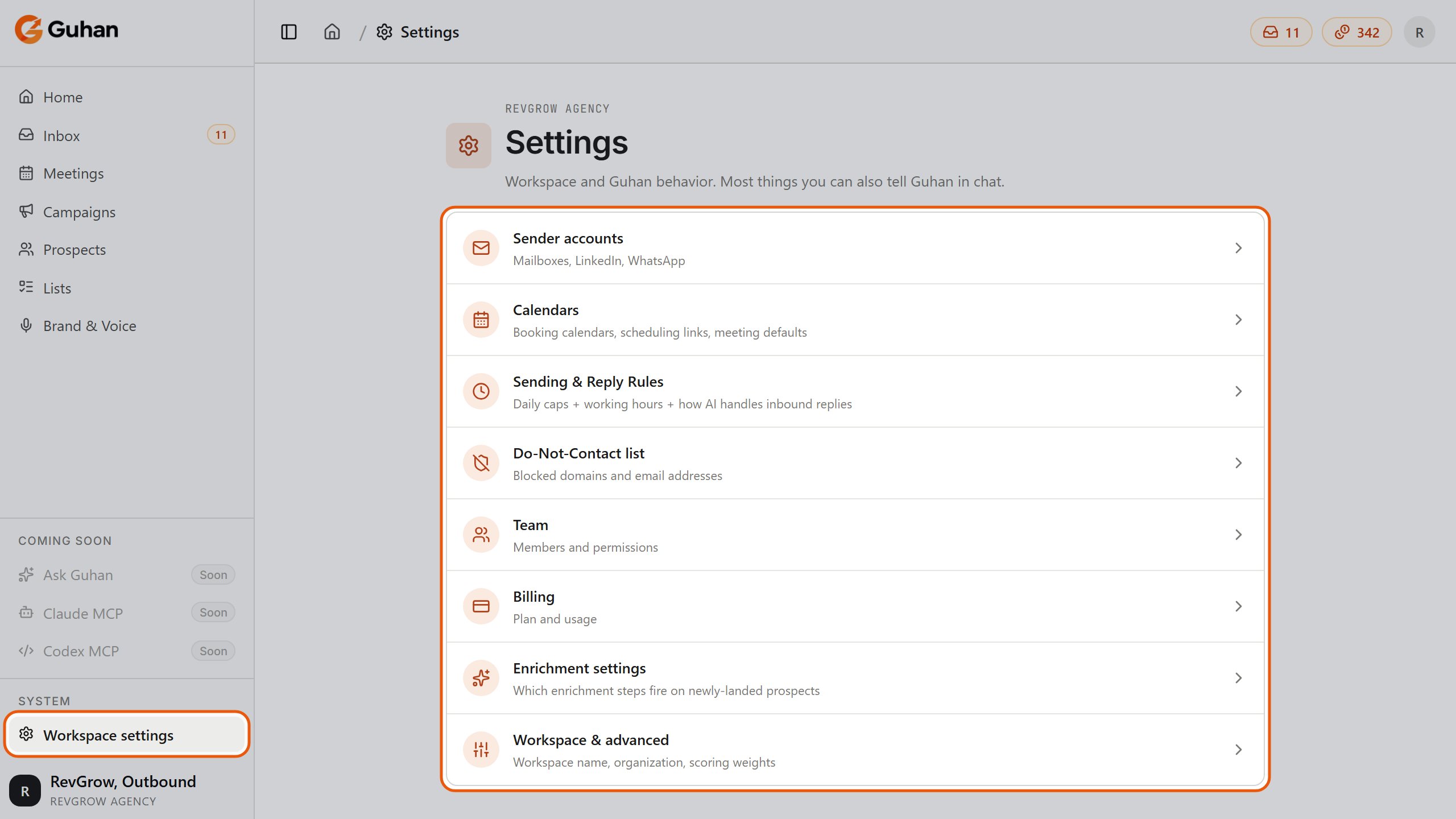
Settings: every area of your workspace in one list (the admin view). Open it from Workspace settings in the sidebar
Sender accounts
The LinkedIn, email, and WhatsApp accounts Guhan sends from. Connect, reauthorize, edit active hours, and reassign owners here. Every license includes one sender slot; extra senders are an add-on. See Sender accounts and Sending safety.Calendars
Booking calendars and scheduling links, plus workspace-level meeting defaults. Individual team members can also connect their own calendar from Profile → My calendars. See Calendar integrations.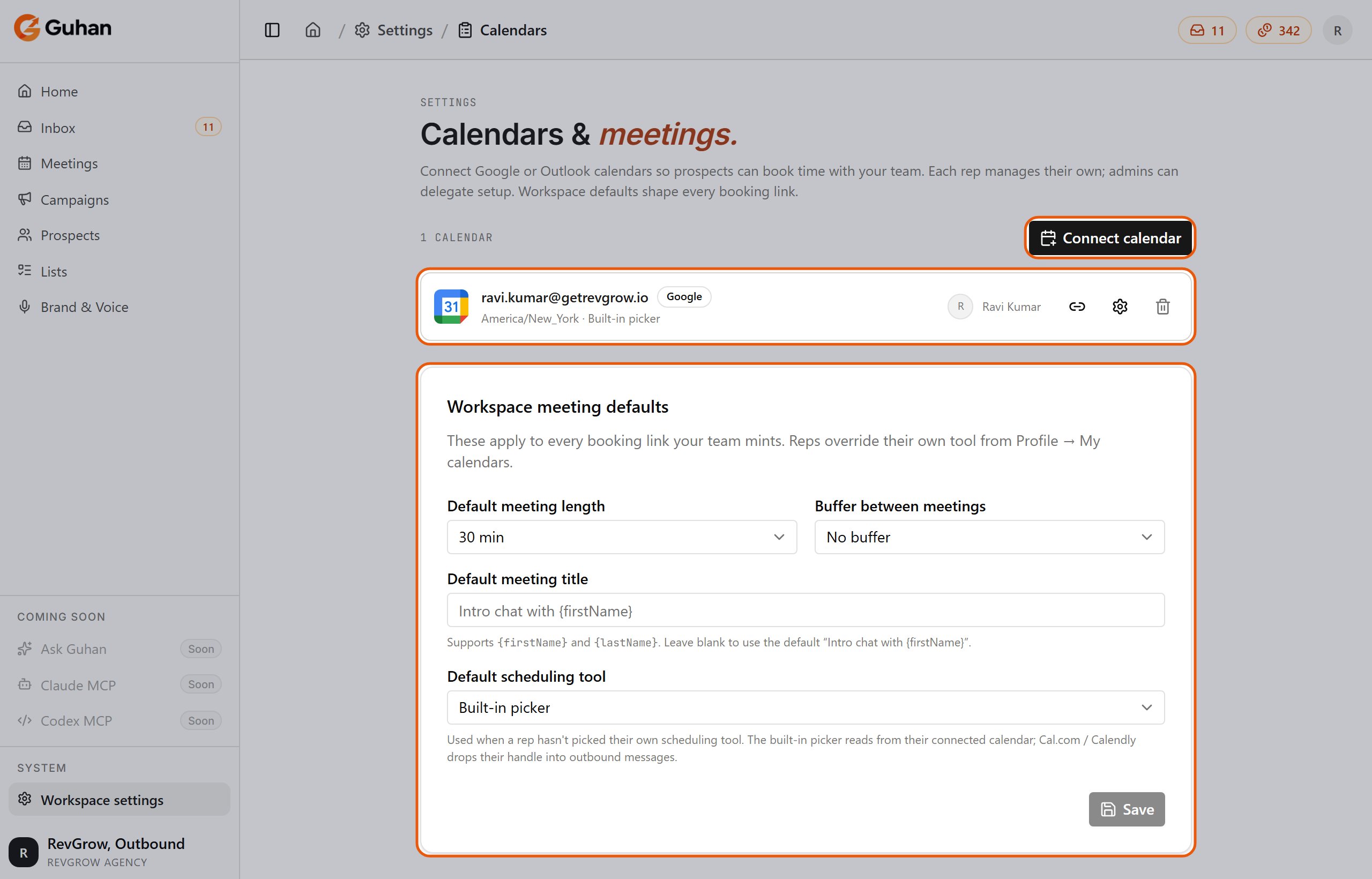
Settings, Calendars: connected calendars and the workspace meeting defaults
Sending & Reply Rules
Admin only. Set working hours and time zone per channel. This page is also where you choose how Guhan handles replies when a sequence has no AI reply step:- Escalate to a user — every reply becomes a task in the Inbox.
- AI drafts — user approves before sending — Guhan drafts a reply for you to approve, edit, or reject.
- AI drafts and auto-sends — Guhan sends without approval. Use this only once you trust the tone.
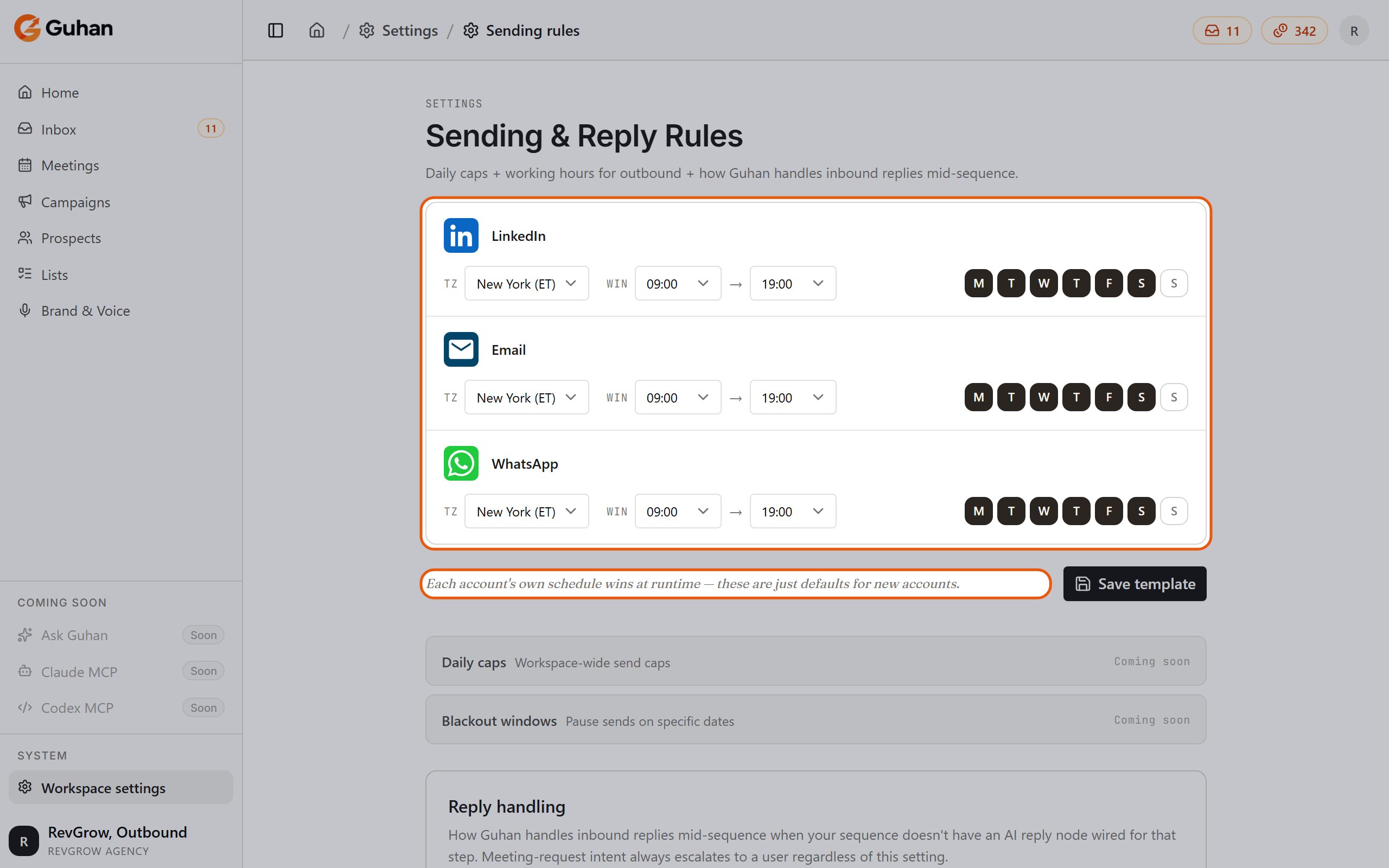
Settings, Sending & Reply Rules: working hours per channel, with reply handling further down
Do-Not-Contact list
Admin only. Blocked email addresses and domains. See Do not contact.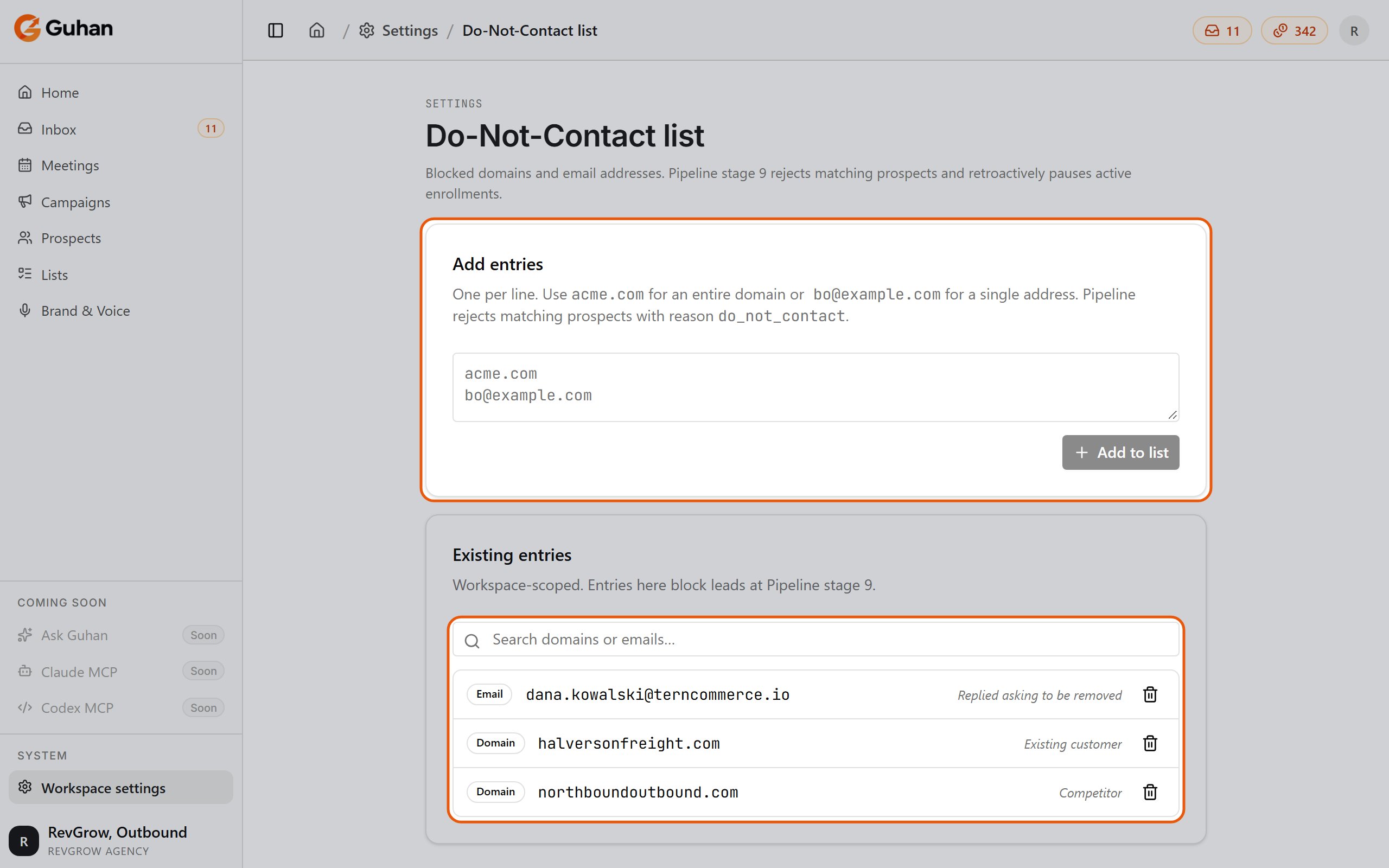
Settings, Do-Not-Contact list: paste entries to add them, and search or remove existing ones
Team
Members, invites, and roles. See Roles and permissions.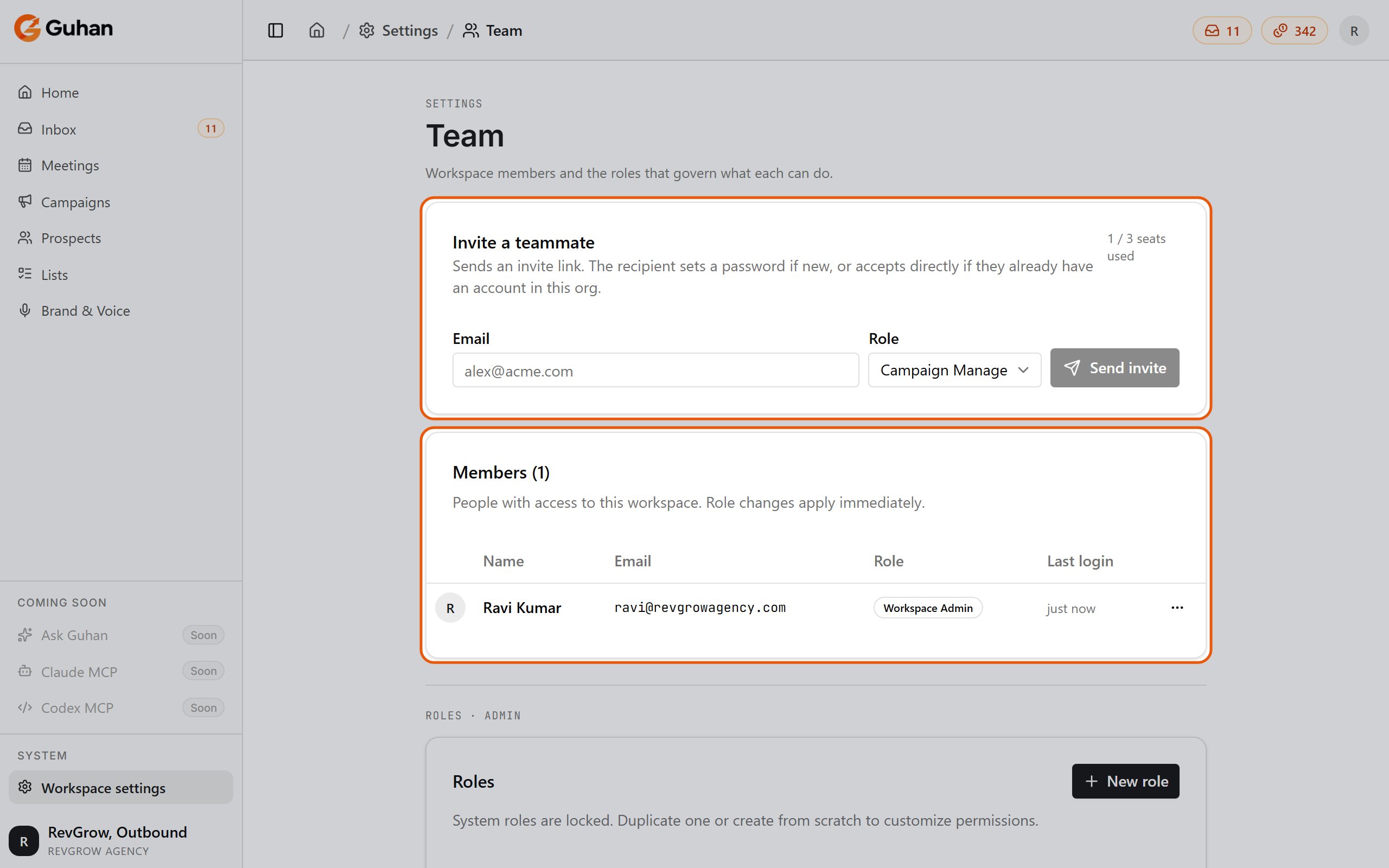
Settings, Team: invite a teammate and see the members
Billing
Admin only. Your plan, licenses, credit balance, credit packs, sender add-ons, and where credits went. See Plans and credits.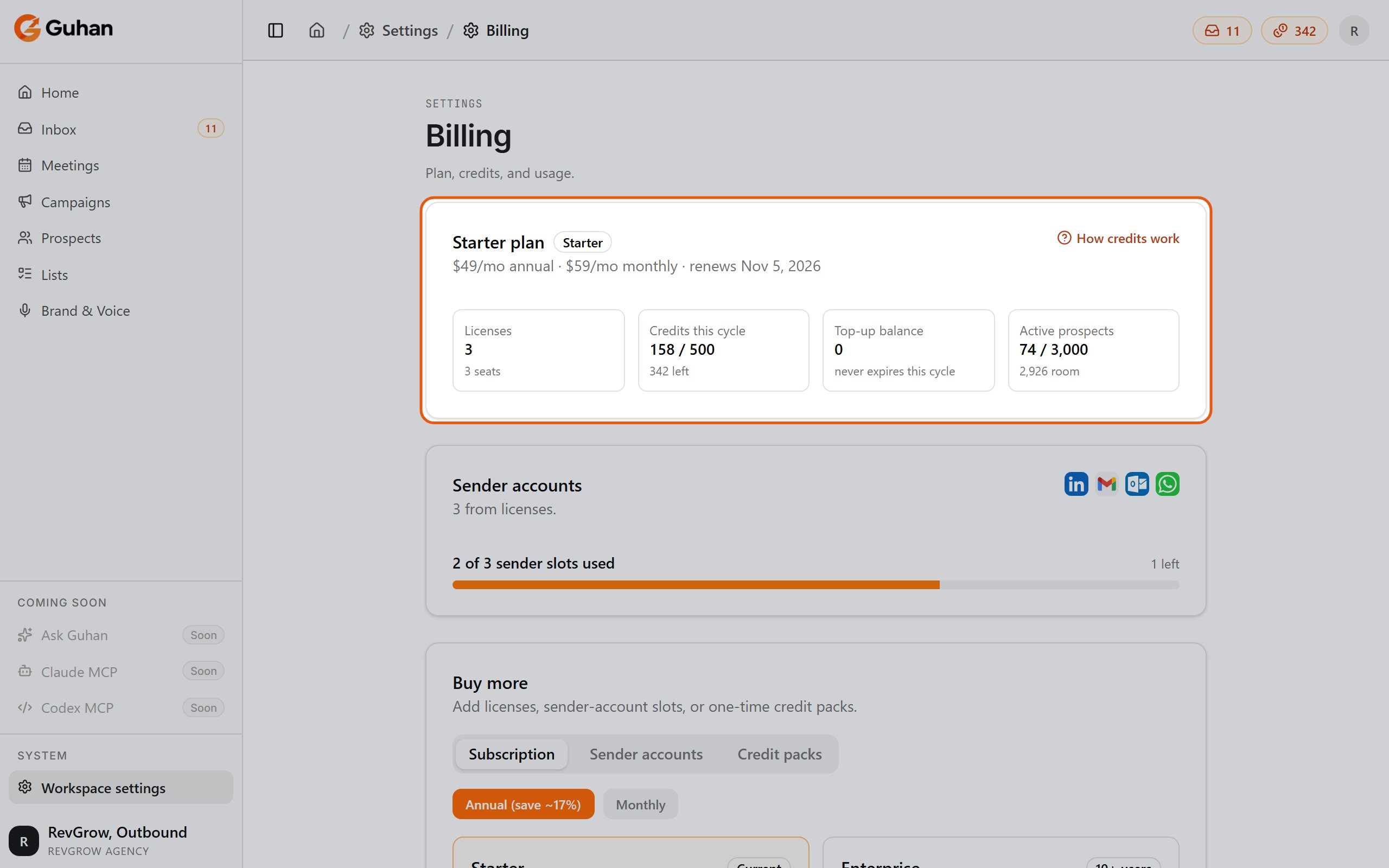
Settings, Billing: your plan, licenses, credits this cycle and active prospects
Enrichment settings
Admin only. The workspace defaults for which enrichment steps run on newly added prospects: profile, recent posts, work email, phone, company profile, company posts, and research brief. Each shows its credit cost. A List can override these defaults. See Enrichment.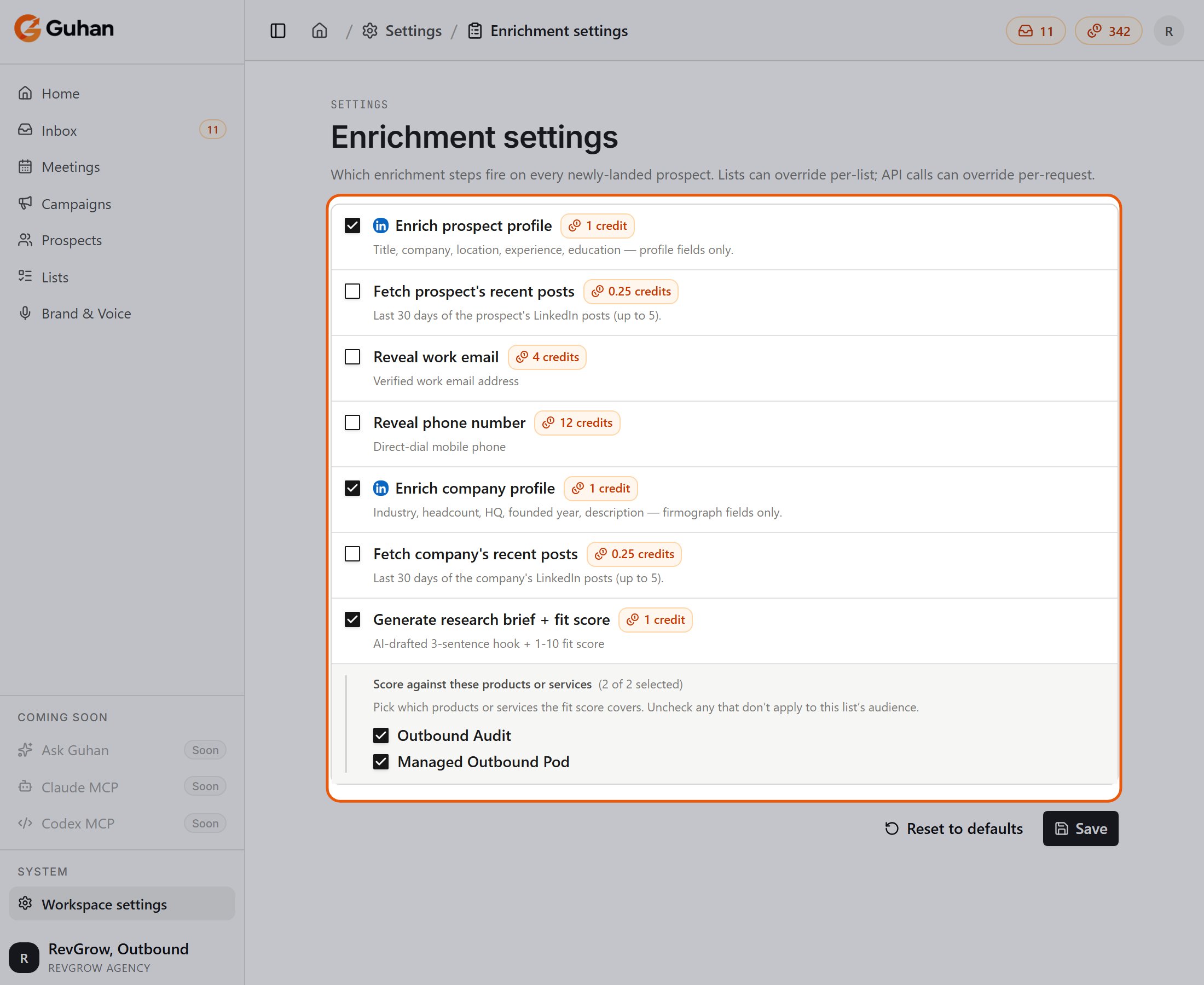
Settings, Enrichment settings: the workspace defaults for each enrichment step
Workspace & advanced
Admin only. Rename the workspace, change its URL slug (old links keep working), and edit workspace identity. Org admins can also turn on multiple workspaces here and create or delete workspaces.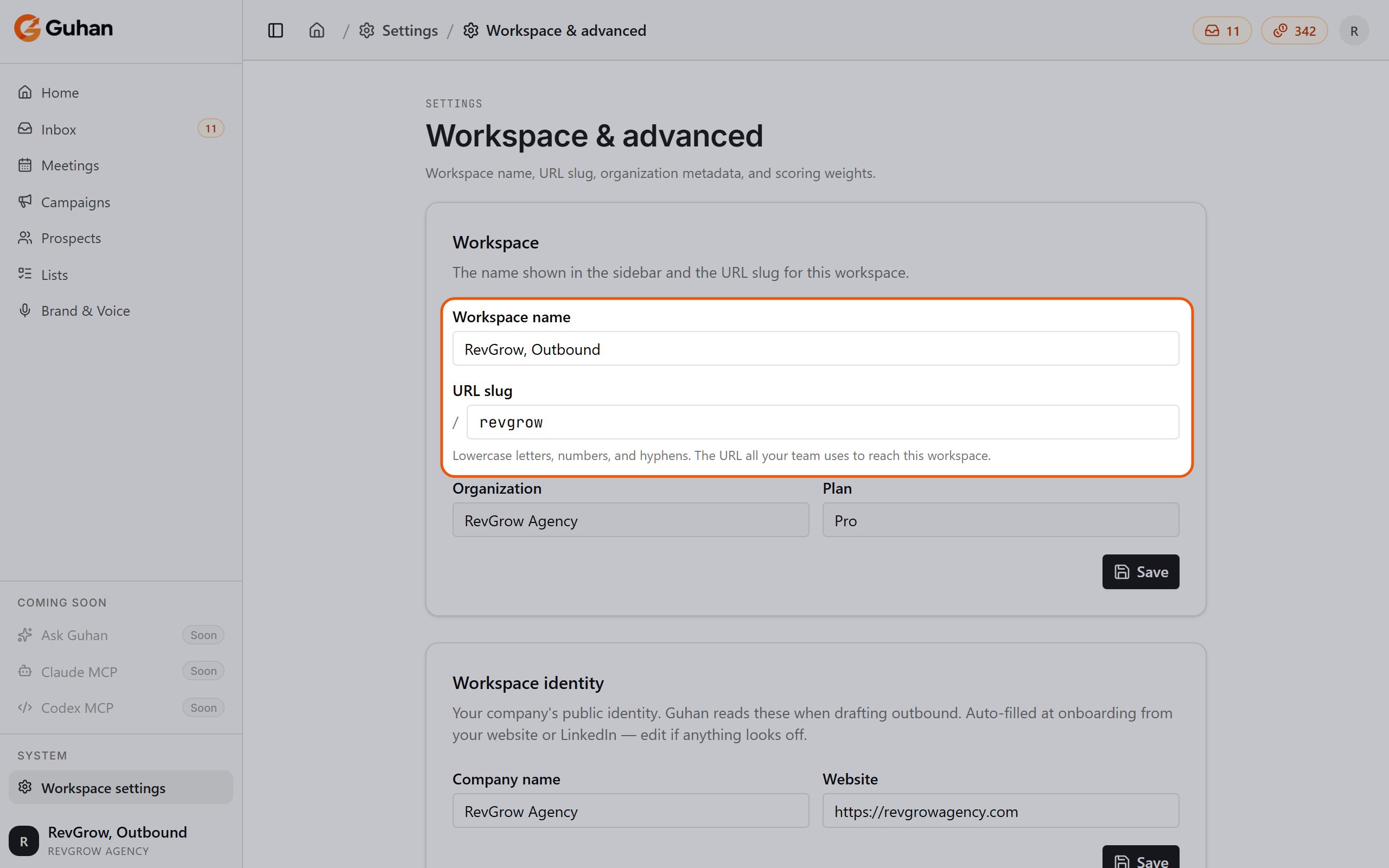
Settings, Workspace & advanced: the workspace name and URL slug, then your company identity
Elsewhere
- API keys live under Profile → API keys, not Settings. See API and MCP.
- Brand & Voice and Products have their own sidebar pages. See Brand & Voice.
Related
Plans and credits
Pricing, credit costs, and packs.
Roles and permissions
Who can do what.