

Ask Guhan is in beta and can make mistakes. Check anything you plan to act on. Also note that in the sidebar, Ask Guhan is currently listed under “Coming soon”, so how you reach it depends on how it has been enabled for your workspace.
What you can ask
Set things up
“Create a list of VP Sales at 100 to 500 person software companies in the US.” “Create a campaign for that list.” “Launch it.”
Check on things
“How many credits do I have left?” “Show prospects from my latest list.” “What meetings are coming up?” “Is my LinkedIn sender healthy?”
Handle your Inbox
“What is waiting on me?” Then approve, reject, or answer a task right in the chat.
Update your setup
Edit your brand voice, add or change a product, or create a message template.
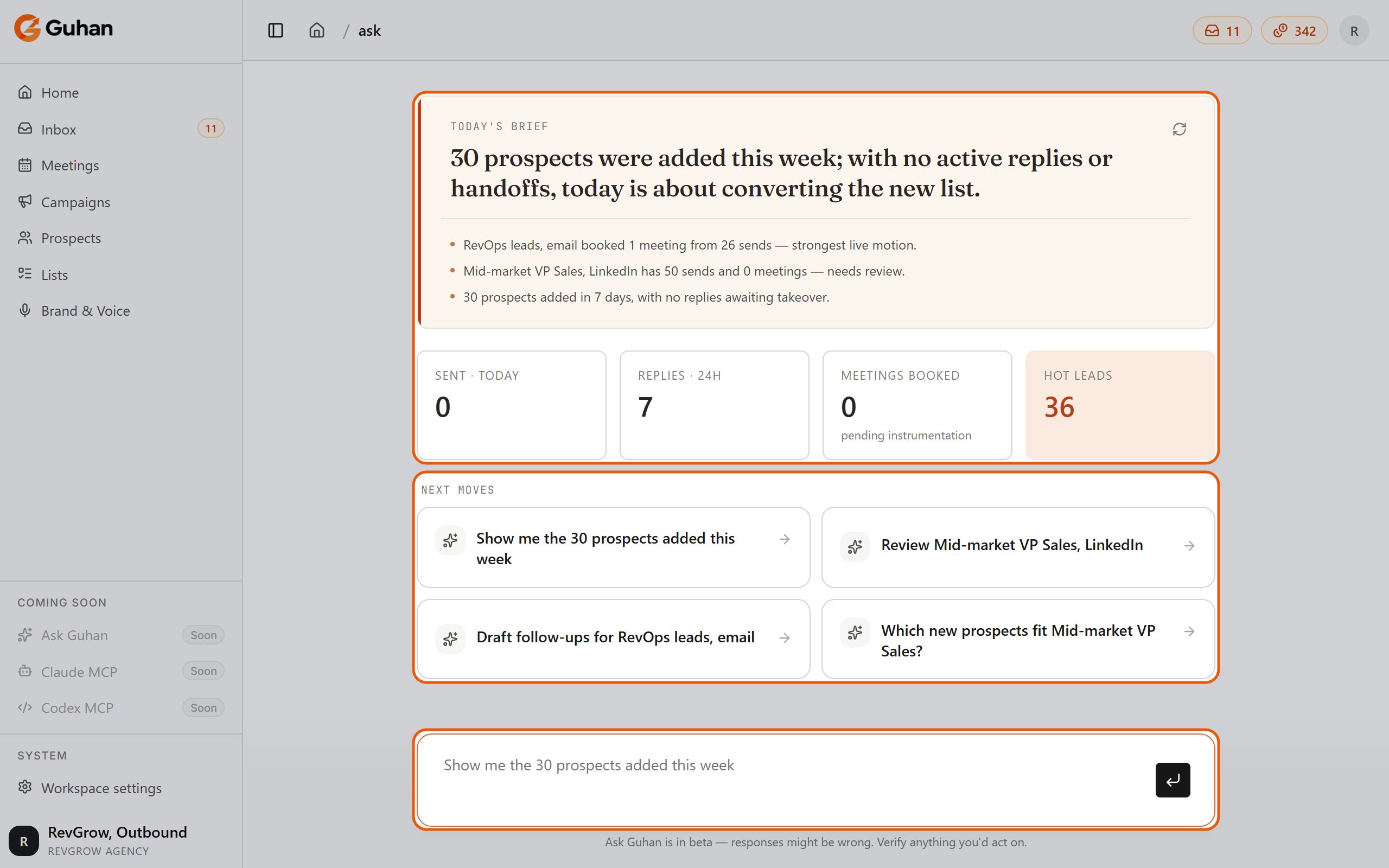
Ask Guhan opens with today's brief and your numbers, then suggested next moves, with the chat box at the bottom
What Guhan will not do
- Delete anything. Guhan can create and change things, but it cannot delete a prospect, list, campaign, product, or anything else. To delete, use the app. This is a deliberate safety limit.
- Connect your accounts. Signing in to LinkedIn, email, or WhatsApp happens on the provider’s page. Guhan can point you to Settings but cannot do the sign-in.
- Touch other workspaces. Everything Guhan sees and changes stays inside the current workspace, and respects your permissions.
Cost
Each message you send costs 1 credit, regardless of how long the answer is. If your workspace is out of credits, or read-only because the trial or plan has ended, Ask Guhan does not respond. See Plans and credits. You need permission to create campaigns to use Ask Guhan. See Roles and permissions.Conversations and feedback
Every chat is a thread you can come back to. Guhan remembers what was said earlier in the same thread. Your history is available on the History page, and Cmd or Ctrl + Shift + O takes you there from anywhere. Each reply has thumbs up and thumbs down. Use them to flag good and bad answers. When Guhan looks something up or makes a change, you see a card showing what it did. Records it mentions link straight to the matching page in the app.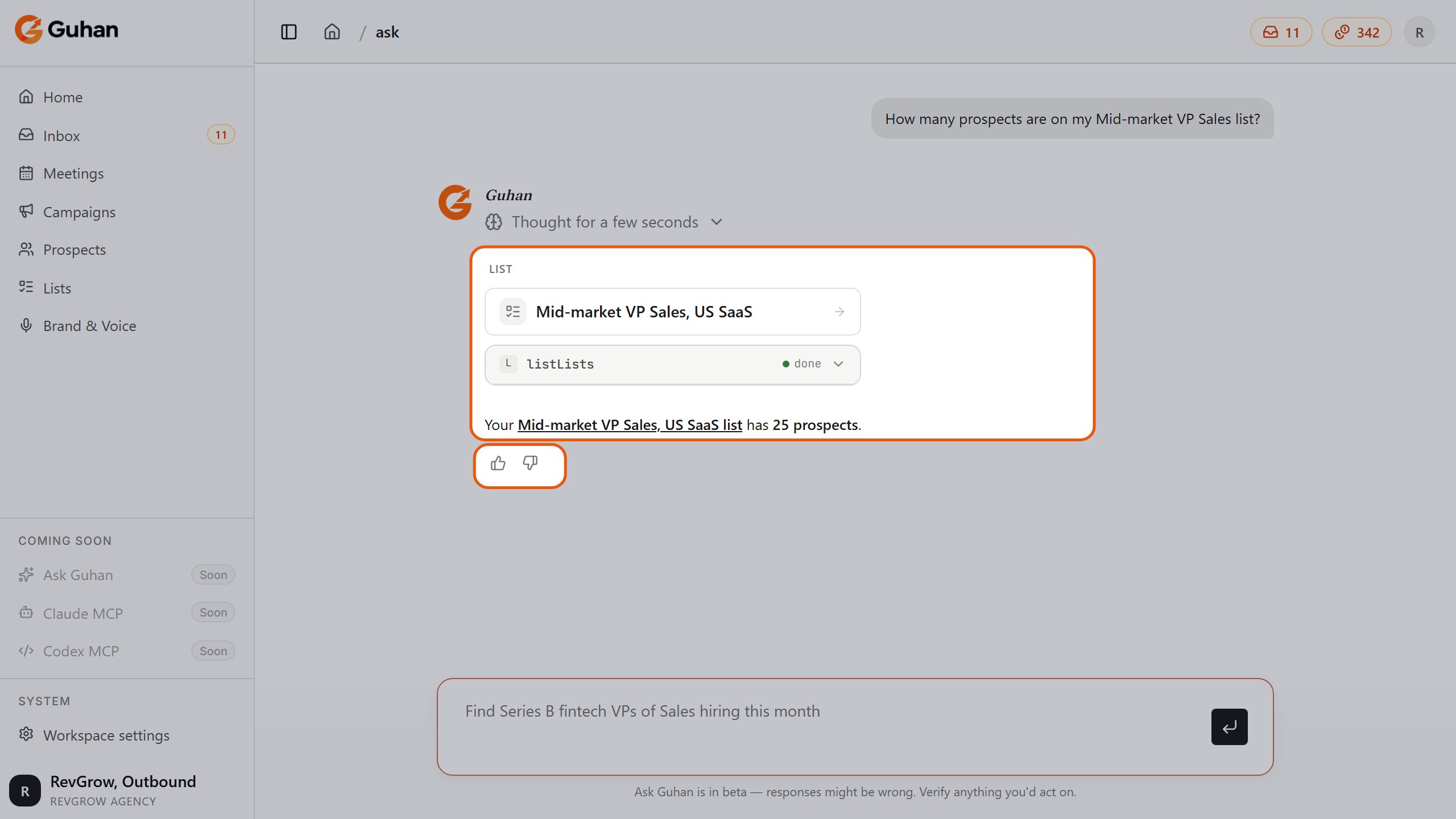
A question, the card for what Guhan looked up, and a short answer you can rate with thumbs up or down
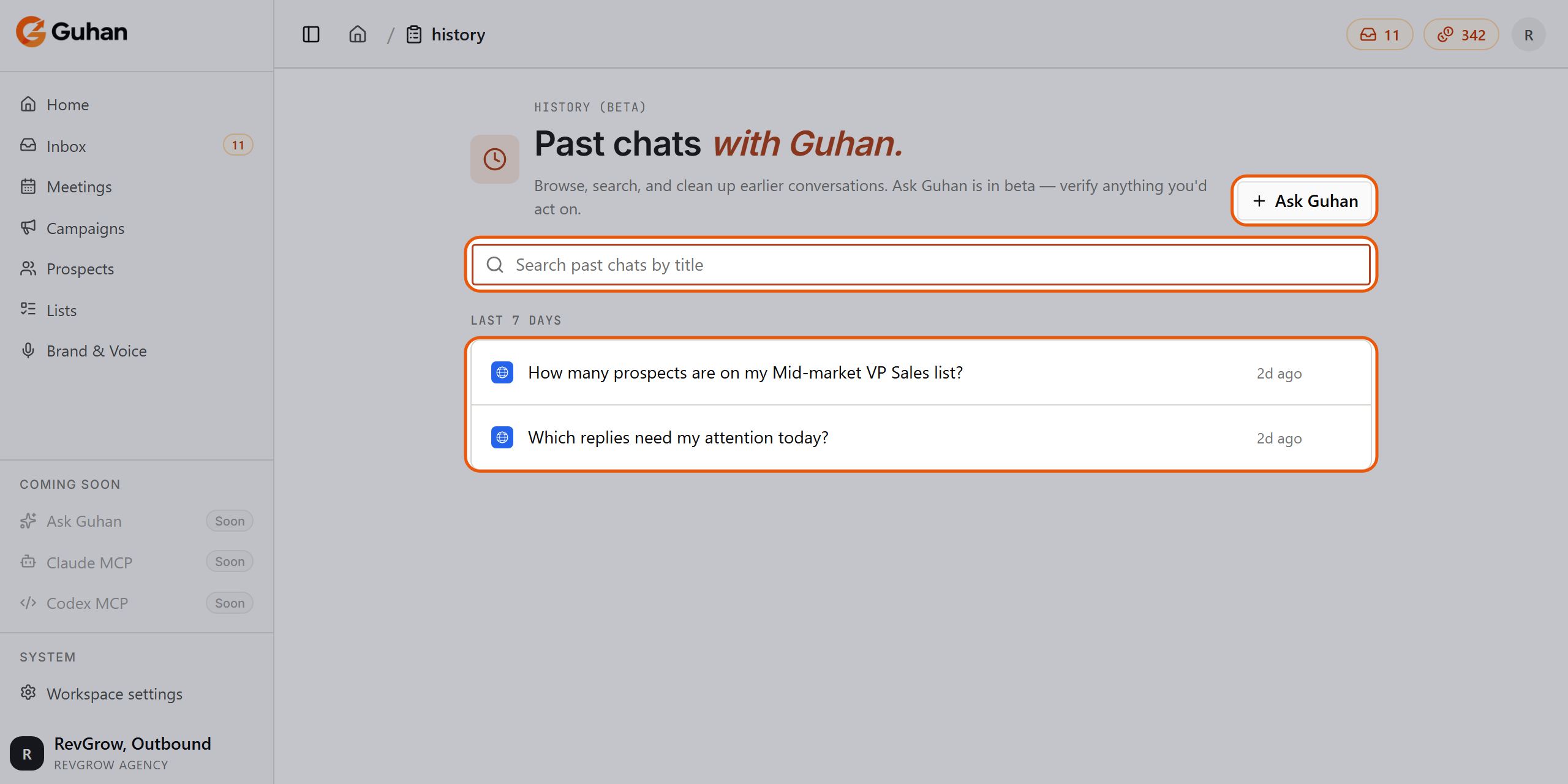
History: search past chats by title and reopen any of them
Ask Guhan on WhatsApp
Connect a WhatsApp sender, open its settings, and turn on Conversation agent on WhatsApp. Then message your own number. Guhan replies in that chat, and you can answer inbox tasks from your phone. See Connect WhatsApp.If something’s off
Guhan does not answer
Guhan does not answer
Check your credit balance and that the workspace is not read-only. Either one stops replies.
Guhan got something wrong
Guhan got something wrong
It is in beta. Use thumbs down, and confirm important facts in the app. For changes you care about, check the result on the page it links to.
It says it cannot delete something
It says it cannot delete something
That is by design. Delete from the app.
Related
Plans and credits
What a message costs.
Connect WhatsApp
Chat from your phone.
Handle replies
The same tasks, in the Inbox.