

Every onboarding step is Guhan collecting business context from you, the way you’d brief a new SDR. The quality of the messages Guhan writes later follows the quality of what you give it here.
Before you start
- Your company website URL. Guhan reads it to draft your brand summary.
- A sender account to connect after launch — a LinkedIn account, a Gmail or Outlook address, or WhatsApp. You pick how Guhan reaches prospects on the launch screen, then connect the account from Settings, Sender accounts.
- No credit card required to start. Just your email — subscribe anytime from Settings → Billing to continue past the 7-day trial.
1. Sign up
Sign-up comes first. The setup wizard that follows shows five numbered steps, which are sections 2 to 6 on this page.
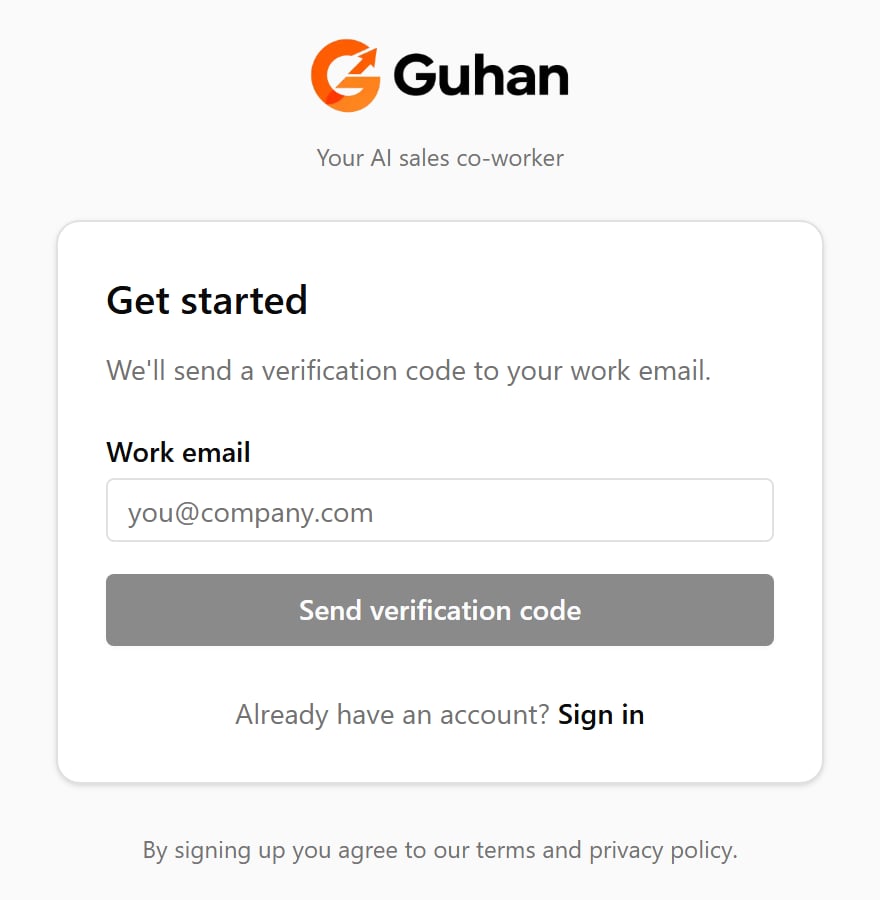
Step 1: enter your work email and Guhan sends you a 6-digit verification code
2. Paste your website
The first onboarding screen asks for your company website. Paste your main marketing site and click Analyze. Guhan reads a handful of pages from your site and pre-fills the rest of the wizard.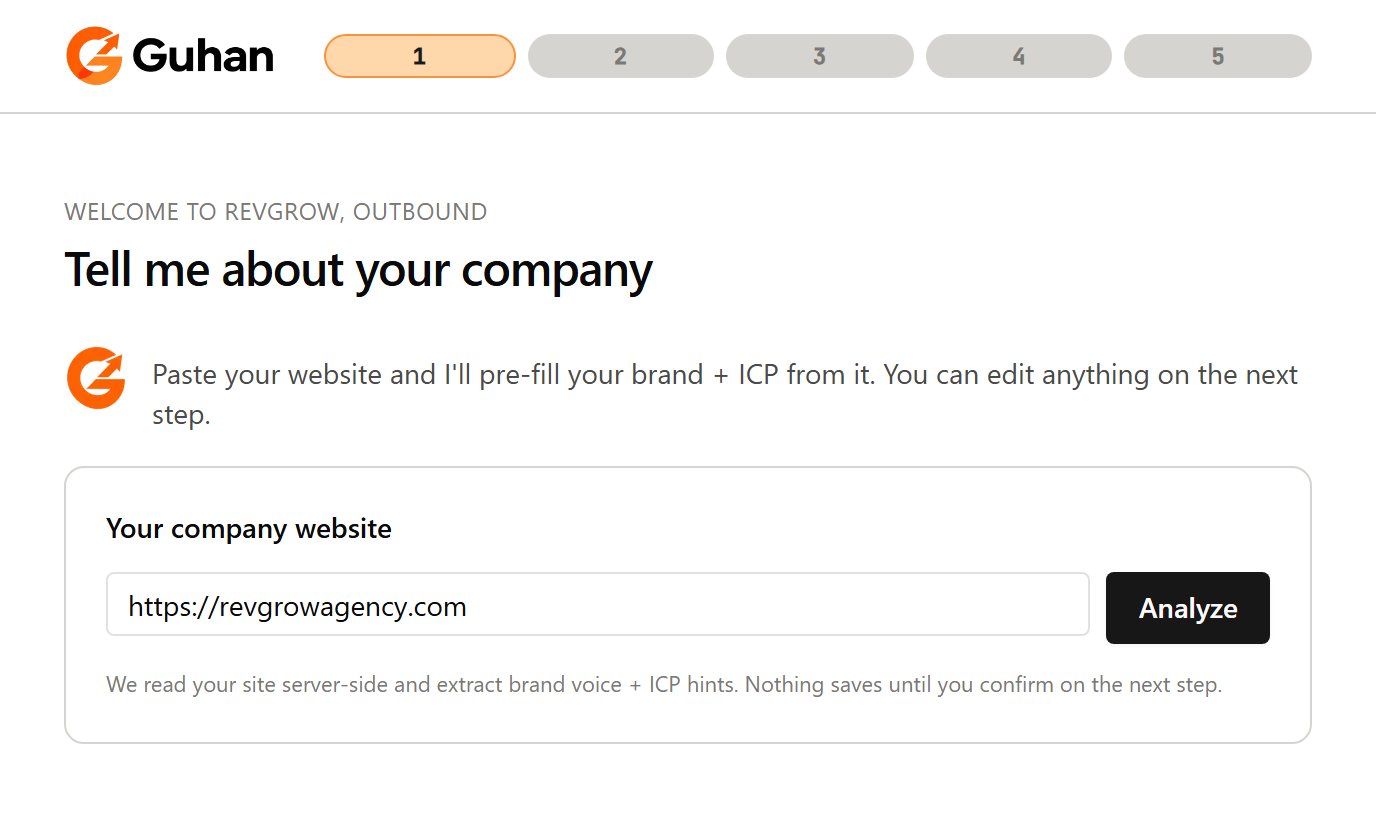
The first setup screen: paste your company website and click Analyze
3. Confirm your brand
Guhan drafts your company name, industry, what you sell, and the pain you solve, and marks the draft as AI-generated. Read every line and fix anything that doesn’t sound like you. Every future message builds on this summary.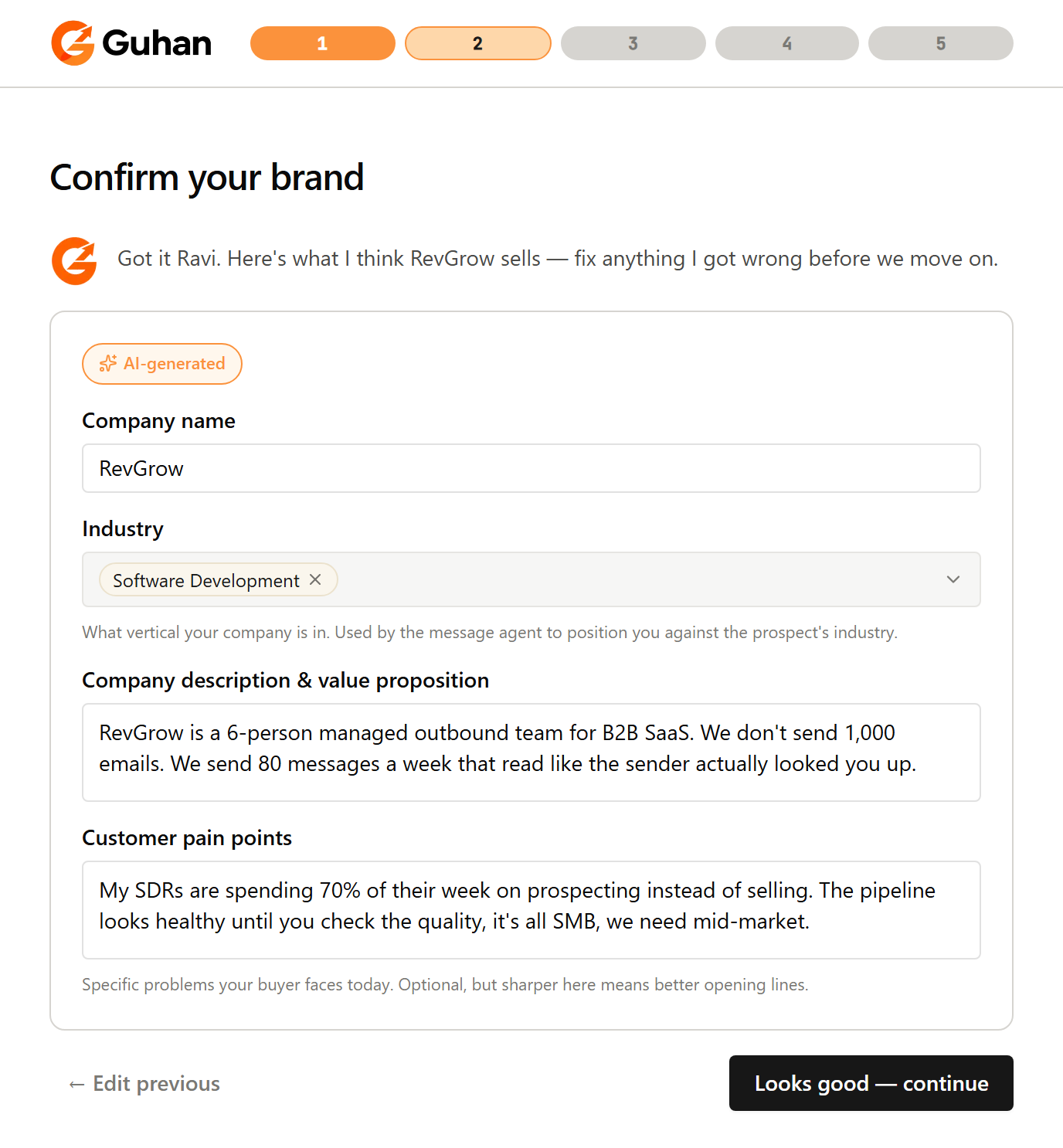
Confirm your brand: Guhan drafts it and marks what it wrote as AI-generated. Edit anything that is off
4. Say who to reach and which companies
- Who to reach — job titles and locations. Type a title like “VP of Sales”, then click Suggest variants to get close alternatives you can keep or remove.
- Which companies — industries and company sizes. You can also turn on buying signals here. Each signal you pick gets its own List.
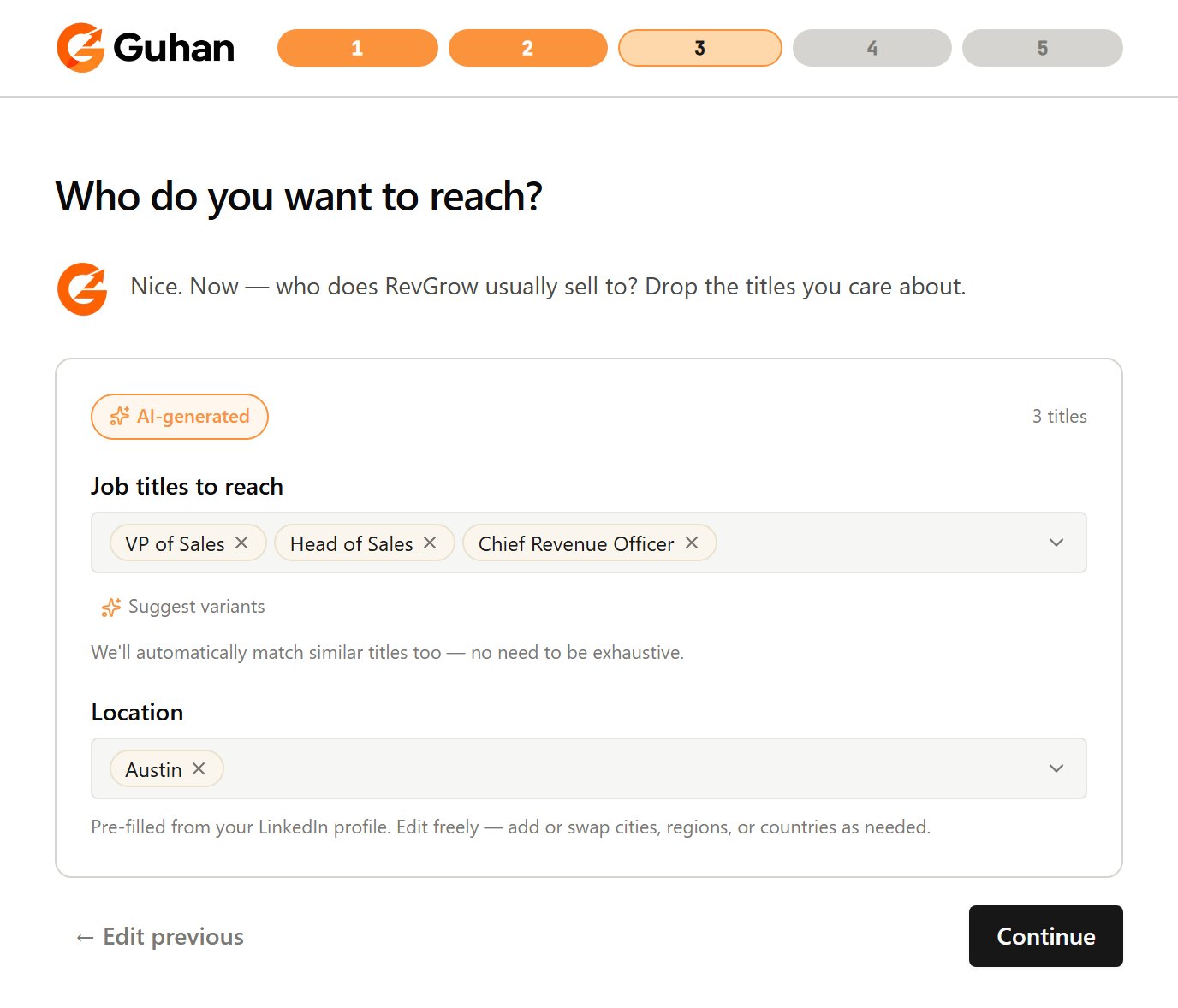
Who to reach: job titles and locations. Suggest variants adds close alternatives
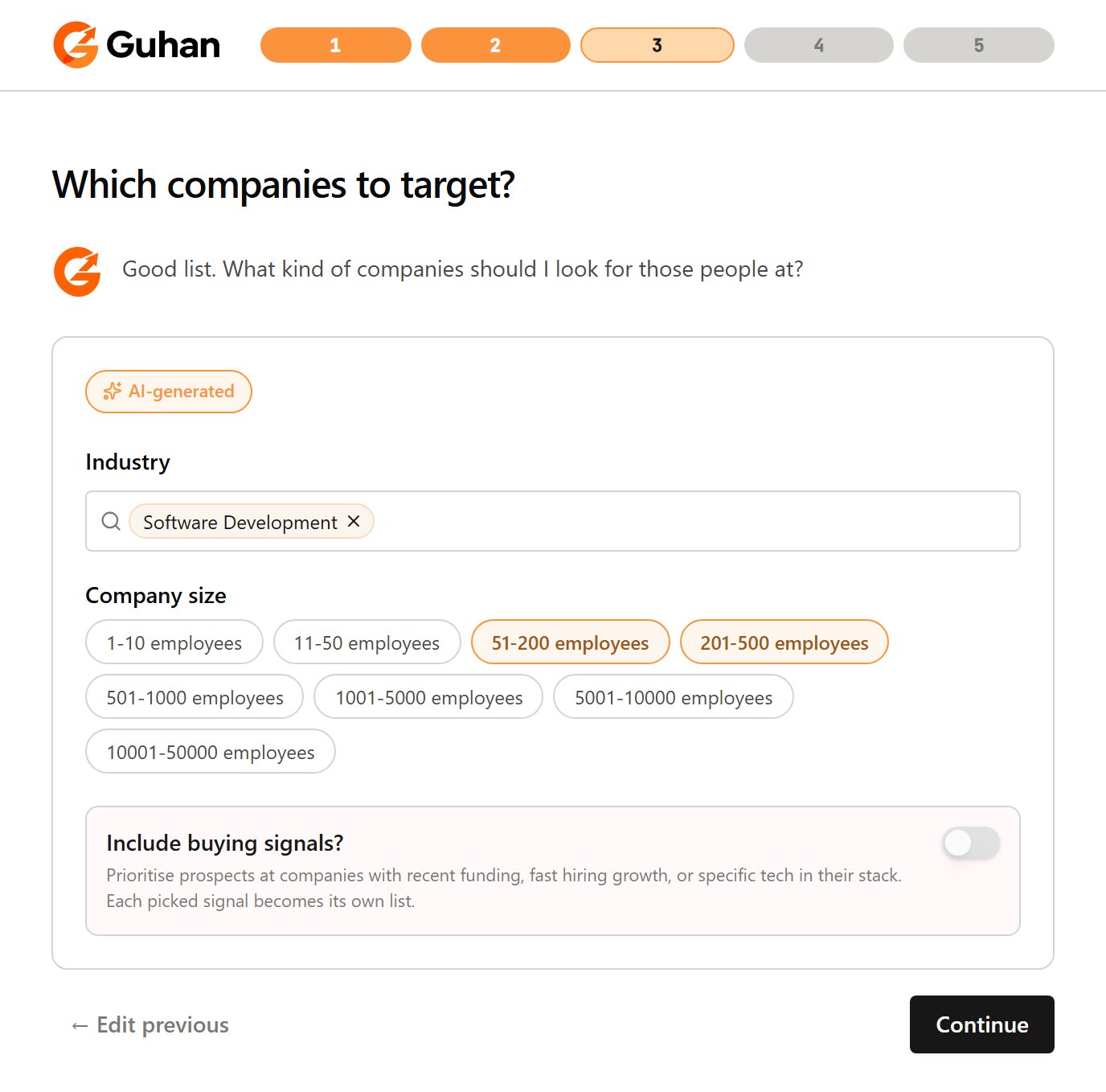
Which companies: industries, company sizes and the optional buying-signals switch
5. Review five real prospects
Guhan runs a real search and shows five people who match. Click Reject on anyone you would not message, then click Looks good — continue. Rejecting pulls fresh candidates, up to three times. The people you keep seed your first List.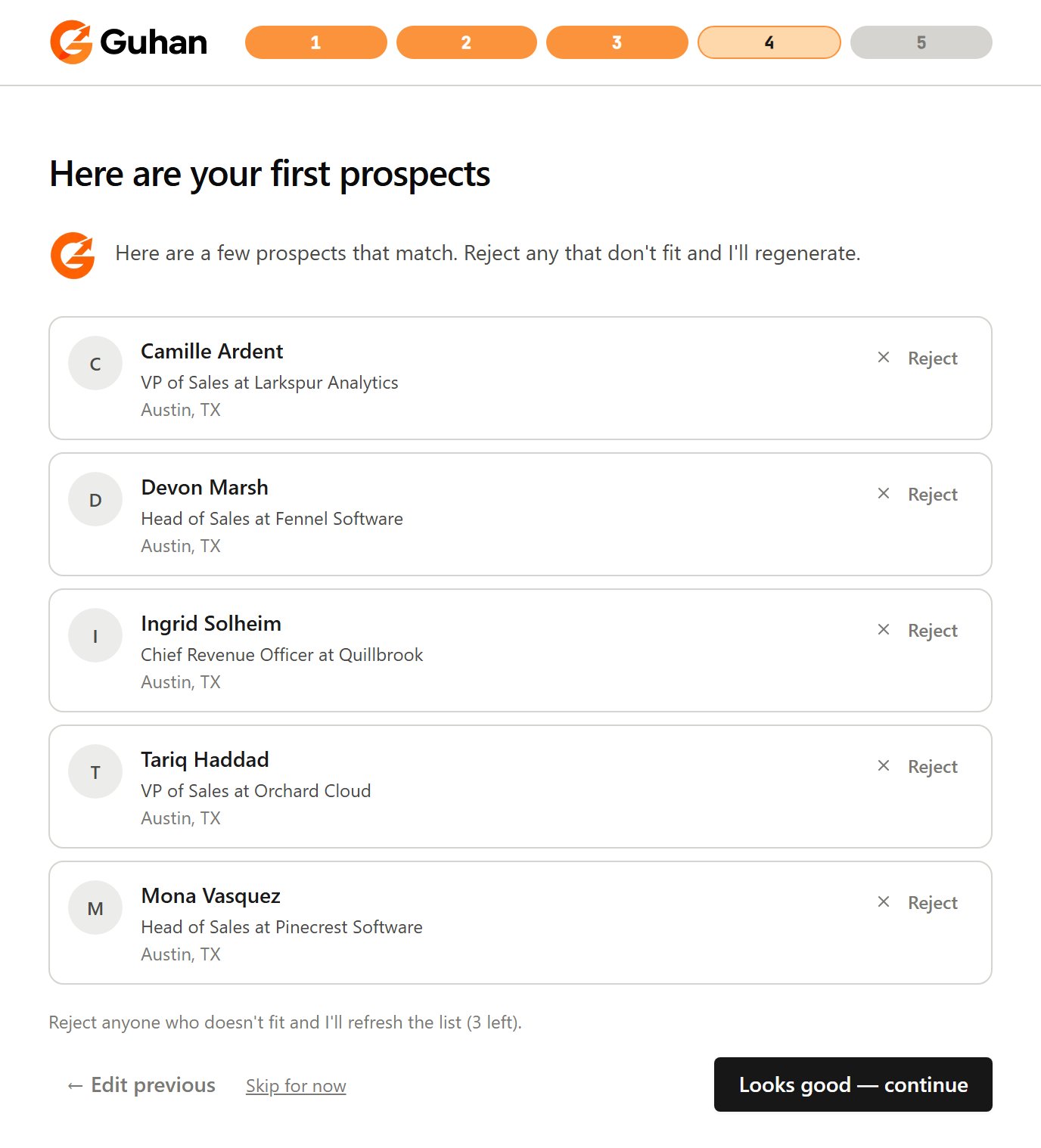
Five prospects that match. Reject any that do not fit, then continue
6. Name your Campaign and launch
The last screen summarizes your brand, audience, and signals, and asks you to name your Campaign. Click Looks good — Launch agent, then pick how Guhan should reach prospects: Multichannel (LinkedIn invite and message, with email follow-ups), LinkedIn only or Email only. Depending on your plan, some modes show Upgrade to unlock. You connect the actual accounts after launch, from Settings, Sender accounts. Launch creates:- One List per signal you picked, or a single List if you picked none.
- One Campaign that uses all of those Lists.
- A starter sequence that matches the mode you picked: LinkedIn steps, email steps, or both.
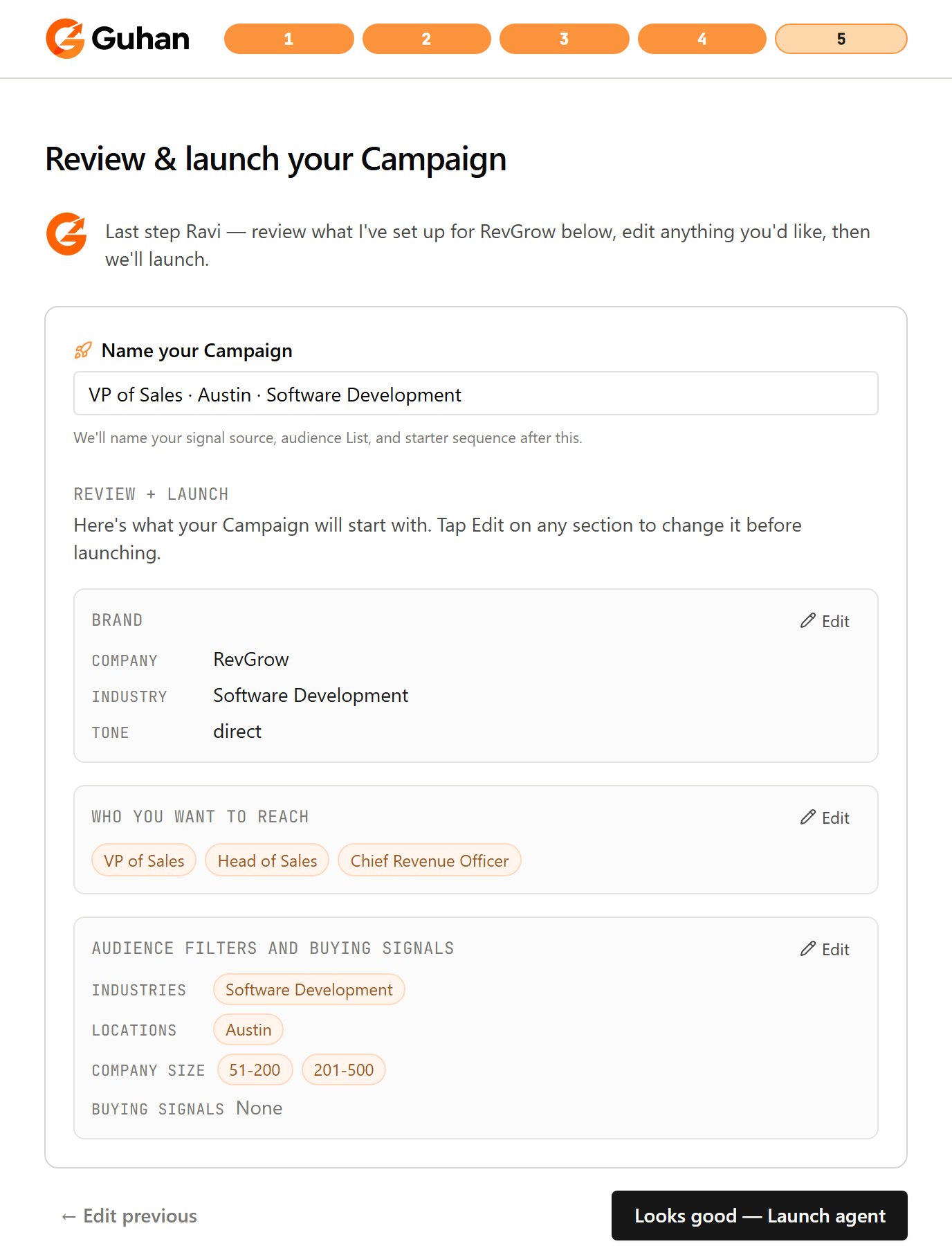
The last screen: name your Campaign and review your brand, audience and signals
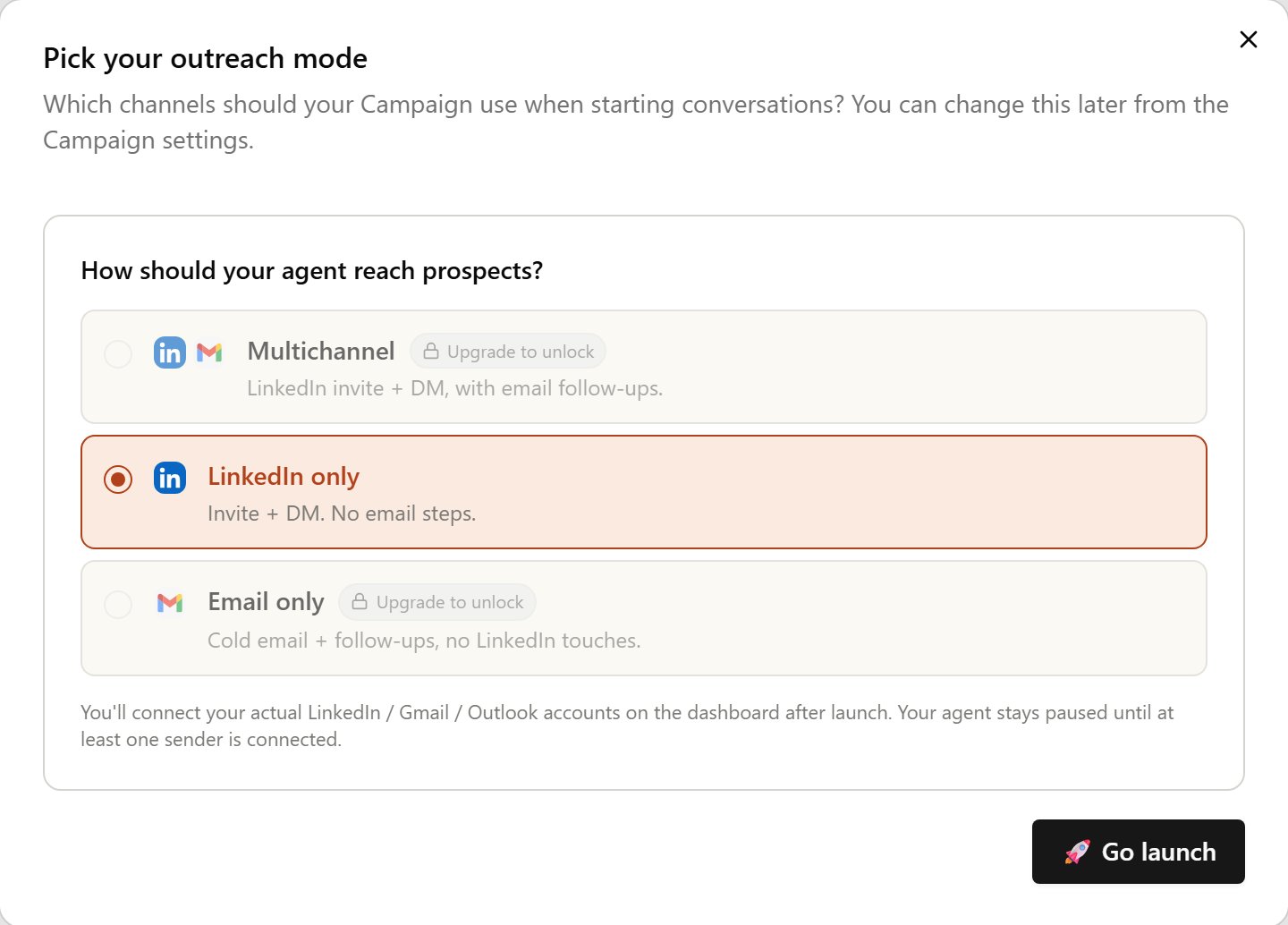
Pick how Guhan reaches prospects, then click Go launch
If something’s off
- No prospects yet. The first search takes a little while. Check the Leads tab; if it stays empty, loosen your titles or industries on the List. See Troubleshooting.
- Sender not connected. Connect one under Settings → Sender accounts. See Sender accounts.
What next
Review your prospects
See who was added and why they fit.
Build your sequence
Edit the starter into a multi-channel cadence.
Connect more channels
LinkedIn, Email, and WhatsApp can run together.
How credits work
What spends a credit and what doesn’t.