

What Guhan does with each reply
Guhan never auto-replies to a no, an unsubscribe, an out-of-office, or a not-now.
When Guhan is not confident that a reply is a no or an unsubscribe, it does not stop the sequence. The thread comes to your Inbox as a Take over task so a person decides.
Reply policy
Settings, Sending & Reply Rules, Reply handling. This is the default for any step that does not have its own AI reply step on the campaign.Escalate to a user
Every interested reply and question creates a task in your Inbox. Guhan writes nothing. This is the default.
AI drafts — user approves before sending
Guhan drafts a reply. You see it in the Inbox and approve, edit, or reject it before anything is sent.
AI drafts and auto-sends
Guhan drafts and sends one reply without asking. Riskier. Use it once you trust the tone.
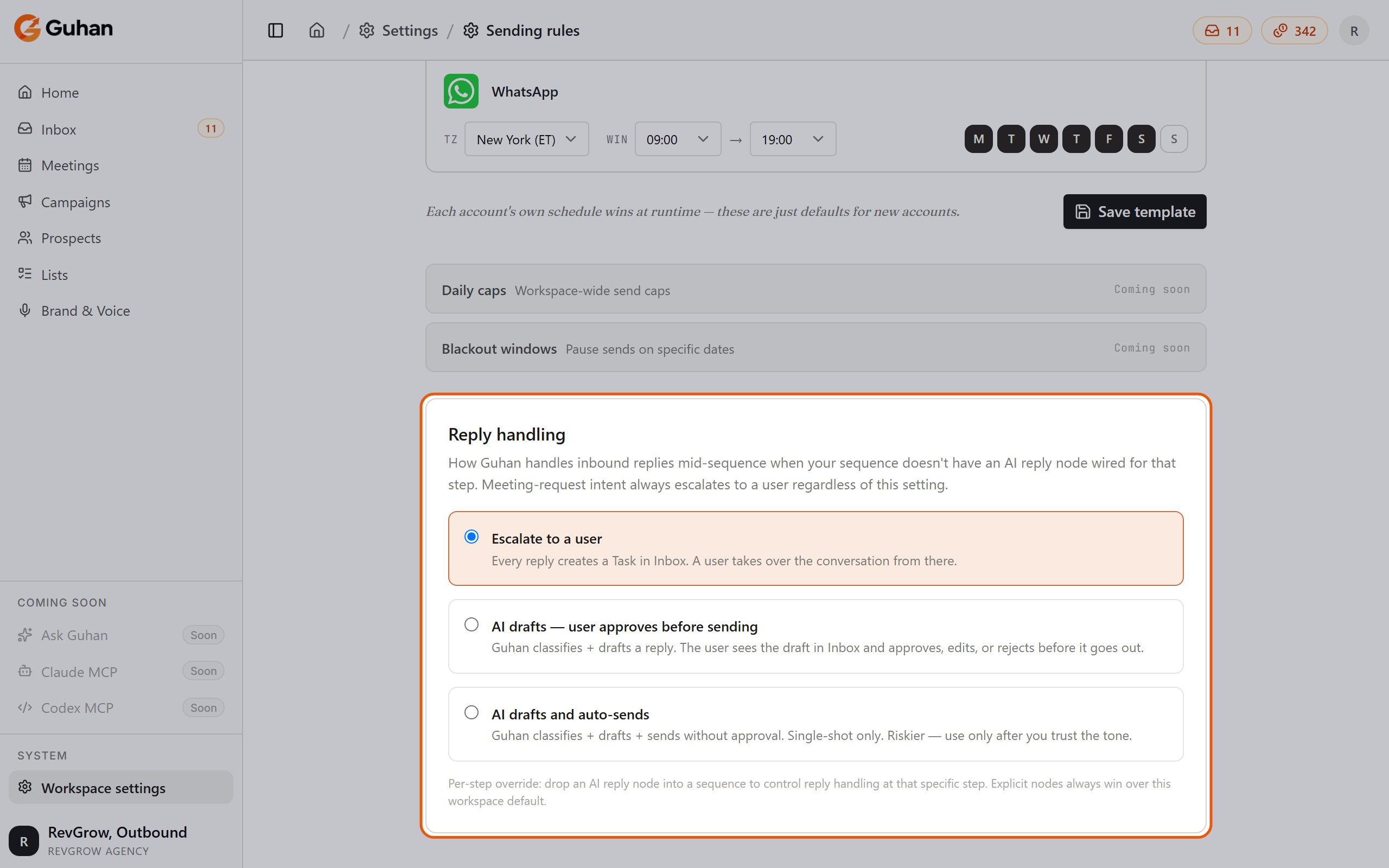
Workspace settings > Sending rules > Reply handling: the workspace default for replies
Per-step control: the AI reply step
On the campaign canvas, an AI reply step placed after a wait-for-reply step overrides the workspace policy for that point in the sequence. Explicit steps always win over the workspace default. It has three settings:
The step has four exits you wire up on the canvas: Conversation done, Meeting requested, Not interested, and Reply timeout. Out-of-office and not-now replies pause and resume on their own, and failed sends go to the Inbox for a manual retry.
For building the canvas, see Build a campaign.
How drafts are written
A draft uses the full conversation so far, your Brand & Voice, the product the campaign is selling, and what Guhan knows about the prospect. If the product has objection answers and offers set up, the draft can use them. See Products. When a draft is waiting, you will see it in the thread with a marker showing it was written by Guhan. Approve it as is, edit it, or reject it. See Handle replies.Cost
An AI-drafted reply costs 1 credit. Replies you write yourself cost nothing. When a campaign step is set to approval, the credit is charged when you approve and send. See Plans and credits for every credit cost in one place.If something’s off
A reply I expected Guhan to answer came to me instead
A reply I expected Guhan to answer came to me instead
Meeting requests always come to a person. Beyond that, check Settings, Sending & Reply Rules, Reply handling, and check whether the campaign has its own AI reply step that overrides it. Auto-send also falls back to you after one reply, on a send failure, or when credits run out.
Guhan stopped a sequence and it should not have
Guhan stopped a sequence and it should not have
Reply meaning is read by a model and can be wrong on short or ambiguous messages. Guhan holds back from stopping when it is unsure, but it can still misjudge a clear-sounding reply. Open the conversation in the Inbox and reply yourself.
Related
Handle replies
Approve, edit, and take over.
Build a campaign
Add an AI reply step to the canvas.
Plans and credits
What an AI reply costs.