

Check the List
Open the List from Lists in the sidebar.- Prospects tab: scan the table. Sort by Fit score to see the strongest matches first. Do the names, titles and companies look like who you meant?
- Sources tab: look at the watch activity. It shows how many profiles were found, added and rejected. Click into a watch to see each profile under Landed (added to your List), Rejected and In flight.
- Rejected: open a few. If Guhan rejected people you wanted, the reason tells you which rule is too strict. See How prospects get added.
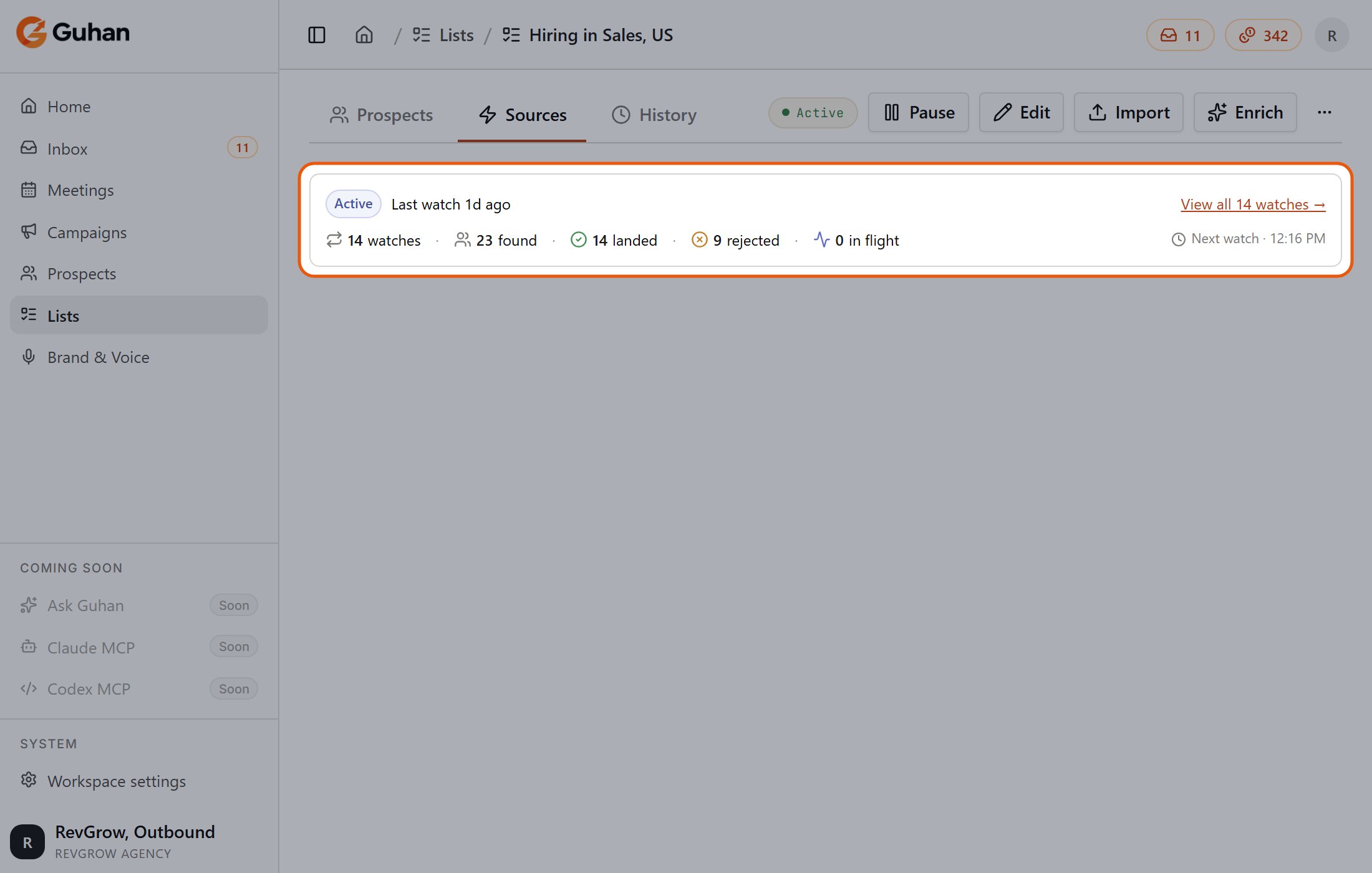
A List's Sources tab: watches, found, landed and rejected, and when the next watch runs
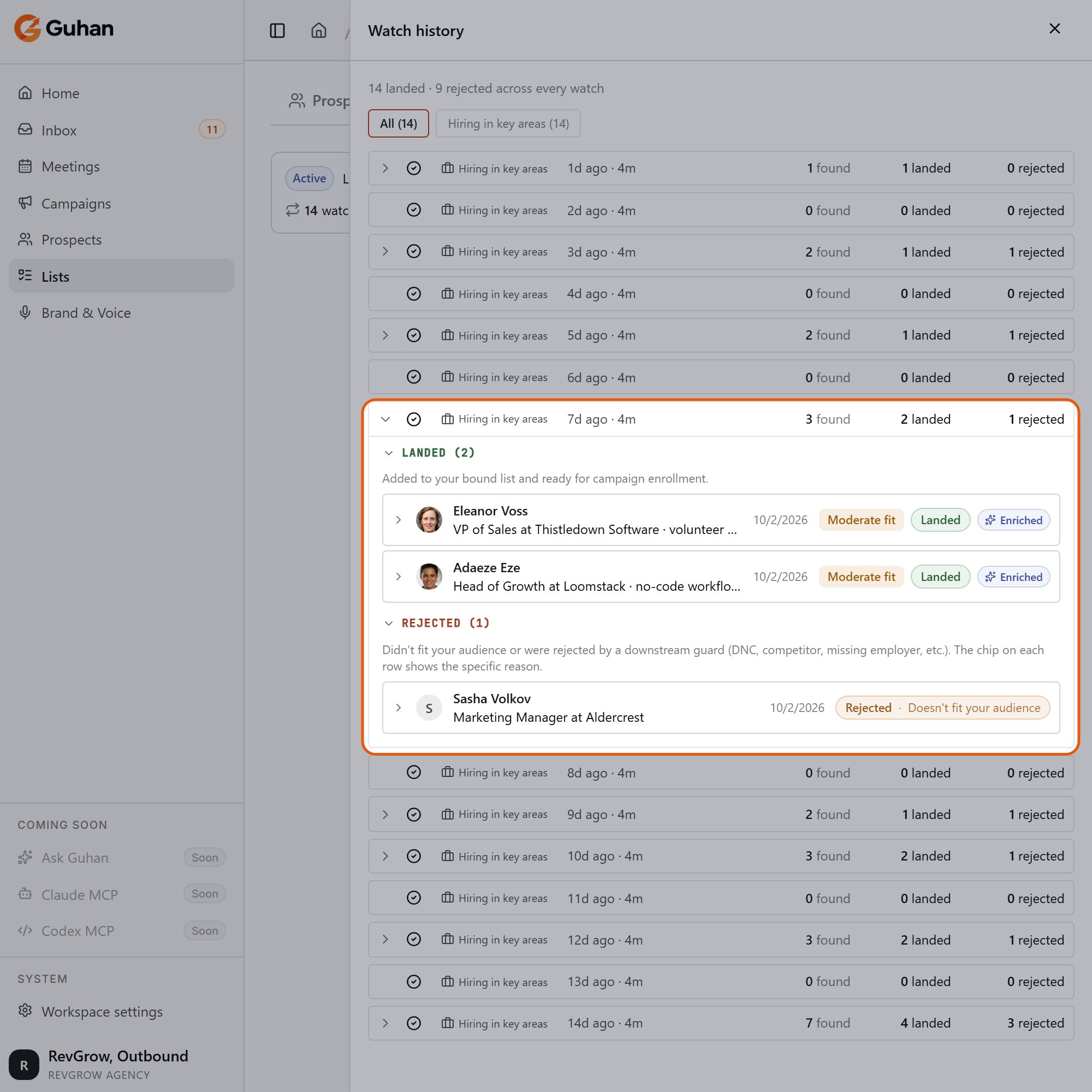
View all watches opens the watch history. Open a watch to see who landed in your List and who was rejected, with the reason
Open a prospect
Click a row to open the prospect. The tabs are:- Details: name, role, contact fields, company and location. Most fields can be edited in place.
- Overview: contact channels, company, Signals: why we matched (the post, hire or event that brought them in), List memberships, and role and experience.
- Research: the research brief, the fit rating and score, and a rating per Product if you have several.
- Activity: messages and replies, once a Campaign starts.
- Yes: keep them.
- No: take them out of outreach (see Prospects), add them to Do Not Contact if you never want to reach them, and tighten the source’s rules so similar people do not come back.
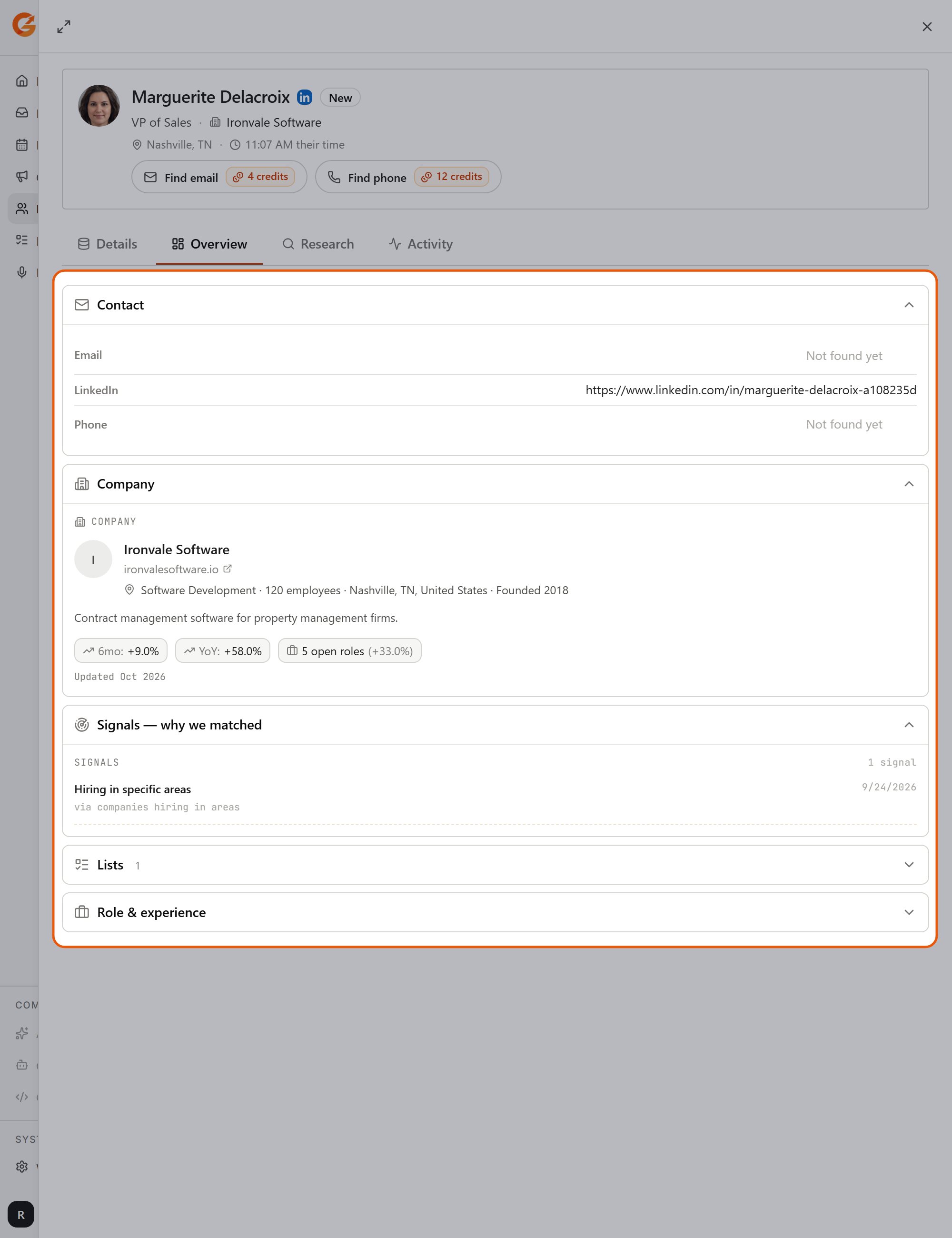
Open a prospect from the List to see why they were added
Tighten the rules
Open Edit on the List to change the source. Common fixes:Wrong seniority
Wrong seniority
Your job titles may be missing the wording people actually use. “Sales Director” and “Director of Sales” are different strings. Use Suggest variants to add the forms you want, and set the Seniority rule.
Wrong industry
Wrong industry
“Software Development” covers a lot. Pick a narrower industry, add a headcount range, or use a signal to narrow further.
Wrong location
Wrong location
A city rule only matches that city. Use the country if you meant the country.
Almost nobody is added
Almost nobody is added
Every rule you fill in is required, so a long list of rules can leave very little. Remove the ones you do not strictly need. The reasons under Rejected show which rule is rejecting the most.
Most prospects have no email
Most prospects have no email
Email and phone are not included by default. You can reveal them for 4 and 12 credits each, or turn on reveal in your enrichment options.
Mostly Moderate or Weak fit
Mostly Moderate or Weak fit
The List is matching your rules but not what you sell. Rewrite the search around your real customer, or pair it with a signal that is closer to buying intent. Also check that your Brand & Voice and Products describe who you sell to, because the fit rating is based on them.
Related
How prospects get added
Filters, the fit rating and rejection reasons.
Prospects
The prospect record, statuses and contact reveal.