

The Companies tab
Open Prospects in the sidebar and switch to the Companies tab. (Older links to the Companies page redirect here.)- Filter by industry, country, city, headcount and status.
- Edit in place: name, industry, size, location and domain can be edited in the table. The change shows on every prospect at that company.
- Create company: add one by hand with name, website, LinkedIn URL, industry, location, employee range, founded year, description and notes. Most companies arrive on their own when a prospect is added.
- By default the table shows companies with at least one prospect in your Lists. If there are companies with none yet, a filter option lets you include them.
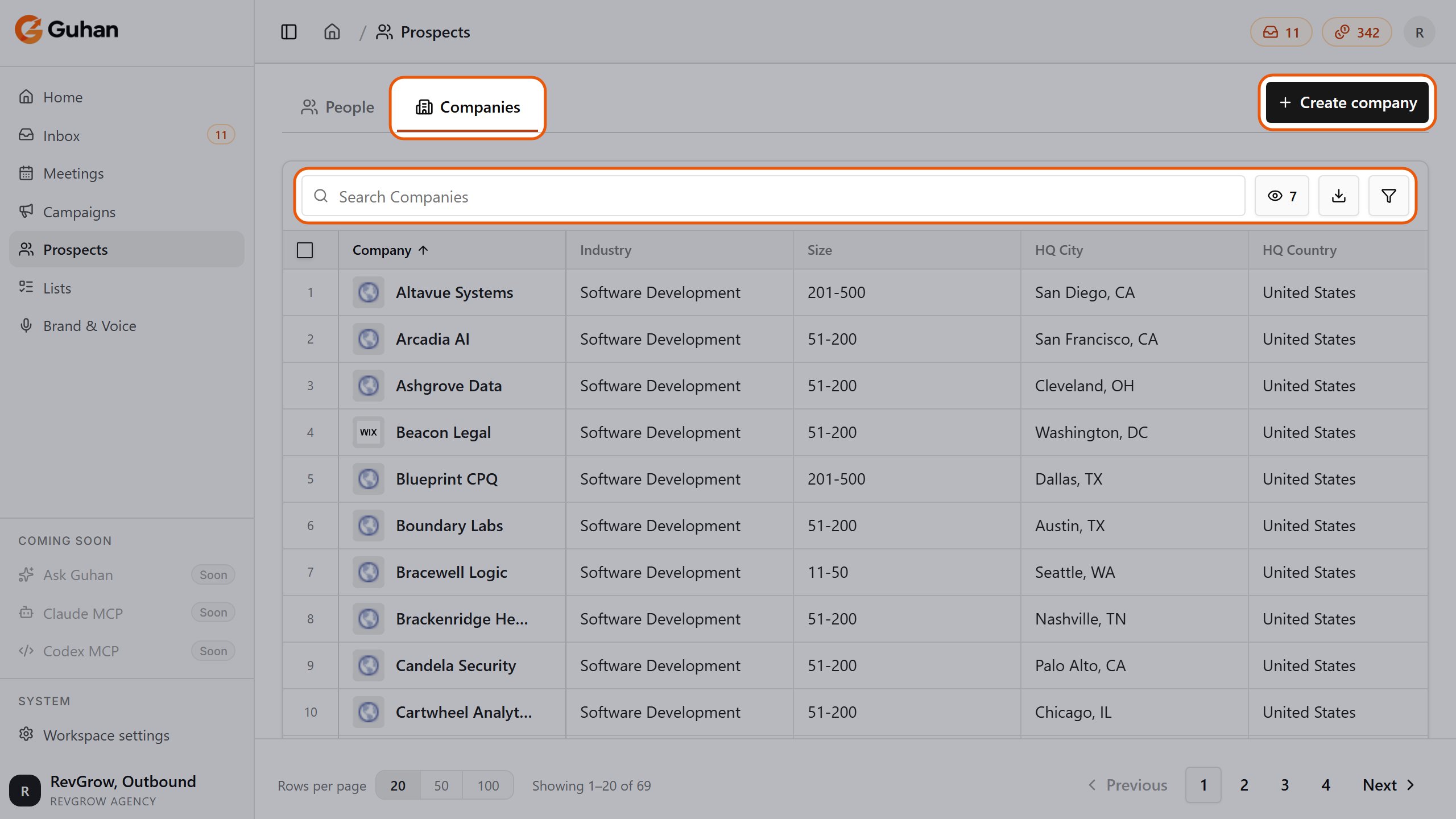
The Companies tab: search, the column menu, export and filters, and Create company. Scroll the table sideways for more columns
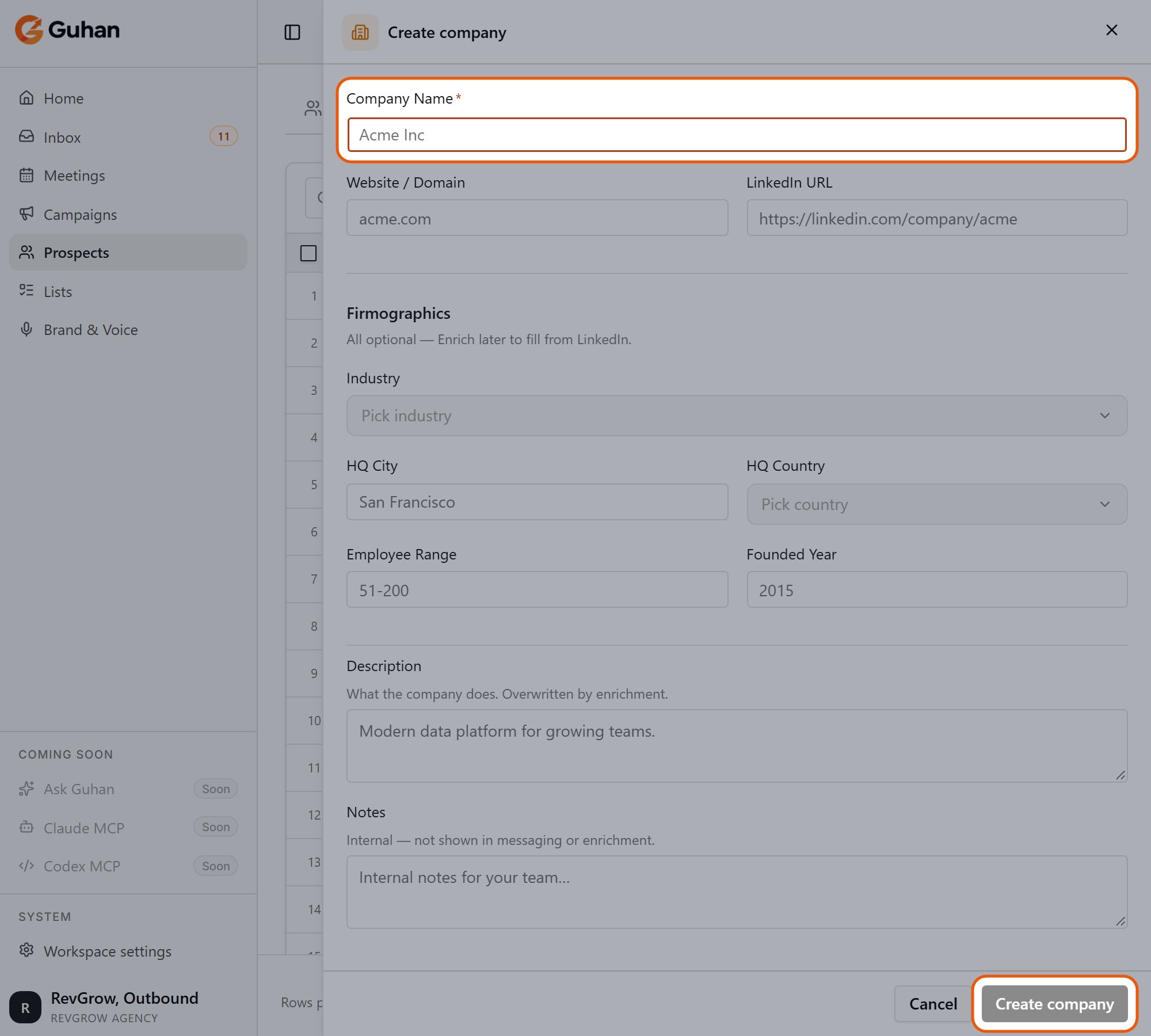
Create company: the name is required. Website, firmographics and notes are optional
Enrich a company
Companies often arrive with only a name. Enrichment fills in industry, headcount, HQ, founded year and description from the company’s LinkedIn page.- One company: open it and click Enrich on the Details tab.
- Many: select rows and click Enrich company in the bar at the bottom, or click the sparkle on the Industry, Size or Location column header to enrich the selection.
The company page
Click a company to open it in a side panel. The expand icon at the top left (Open full record) opens the same record as a full page. Tabs:- Details: editable company fields.
- People: every prospect you have found at this company.
- Lists: the Lists those prospects are in.
- Research: a company brief, plus recent funding and hiring highlights where available.
- Activity: messages and replies across the people there.
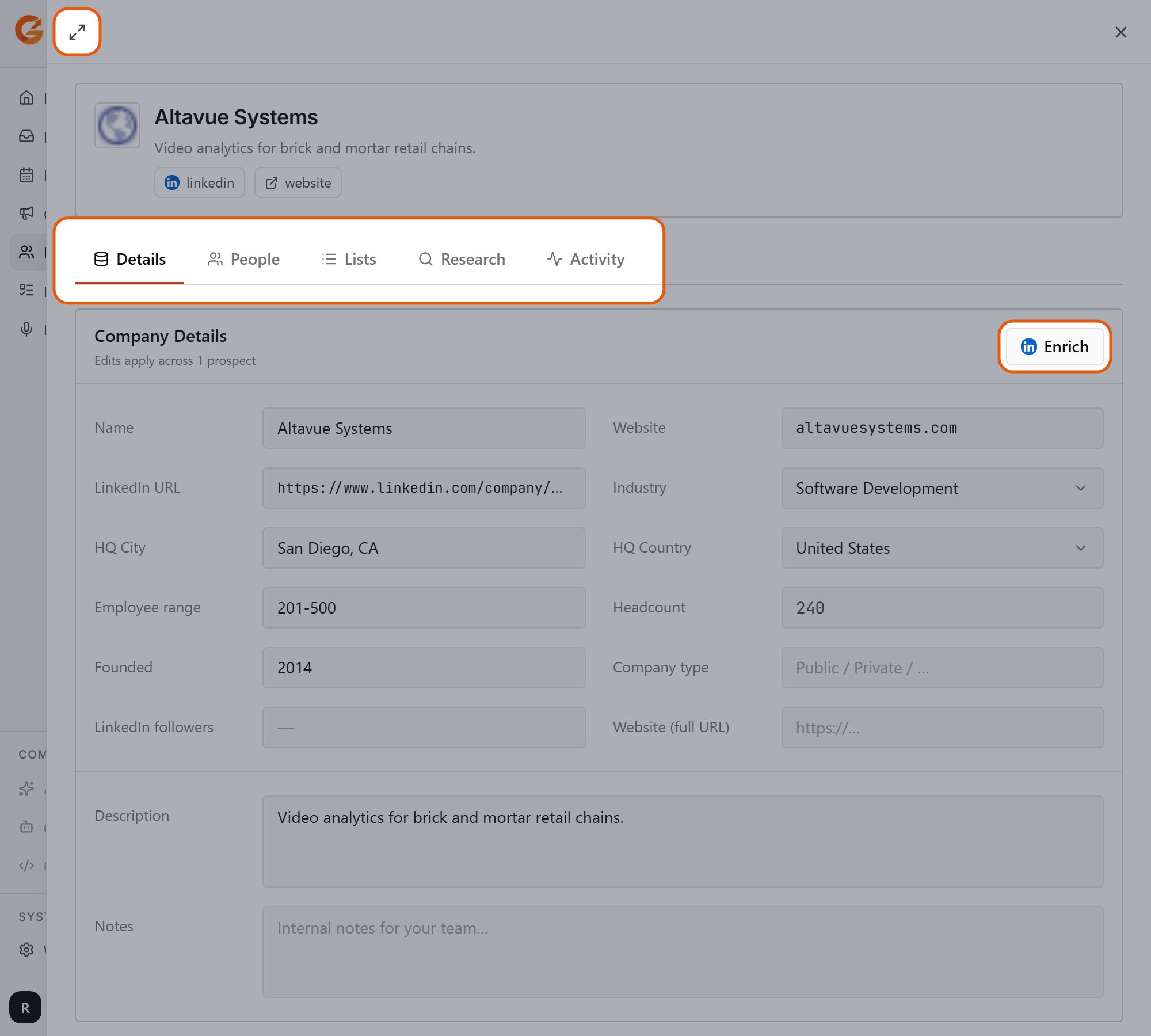
A company opened from the table: the expand icon opens the full record, and the tabs are Details, People, Lists, Research and Activity. Enrich is on the Details tab
Block a company
If you never want to contact anyone at a company, open it and choose … → Block company.- The company’s domain is added to your Do Not Contact list. Future prospects at that domain are rejected, and in-flight sequences for matching prospects are paused.
- Common uses: your own company, competitors, and existing customers you do not want to cold-message.
- Unblock reverses the company’s status only. The domain stays on your Do Not Contact list until you remove it there.
Delete a company
… → Delete permanently removes the company record. Prospects there are kept, but lose their company link until they are enriched again. If you only want to stop outreach, block the company instead.If something looks off
Company enrichment did nothing
Company enrichment did nothing
The company needs a LinkedIn URL. Add one in the Details tab, then enrich again.
Two records for the same company
Two records for the same company
Companies are matched by domain, and by name when there is no domain. Different spellings can create two records. Assign the prospect to the existing company from the company cell in the People table instead of typing a new name.
Related
Prospects
The people at these companies.
Enrichment
Costs and options for enriching companies.
Do Not Contact
Manage blocked emails and domains.