

- By persona: “Enterprise VPs”, “RevOps managers”
- By market: “US SaaS”, “EU fintech”
- By motion: “Funded in the last 90 days”, “Engaged with a competitor”
How prospects get into a List
Open Prospects in the sidebar and click Import leads. Choose a source, then choose a List in step 2: an existing one, or Create new list.People search
Describe who fits (titles, seniority, location, industry, company size). Guhan finds matching people.
Buying signals
Add people only when something happens: a funding round, a new executive, a post about your topic, engagement with a competitor.
CSV upload
Upload people you already have and map your columns.
Create lead
Add one person by hand.
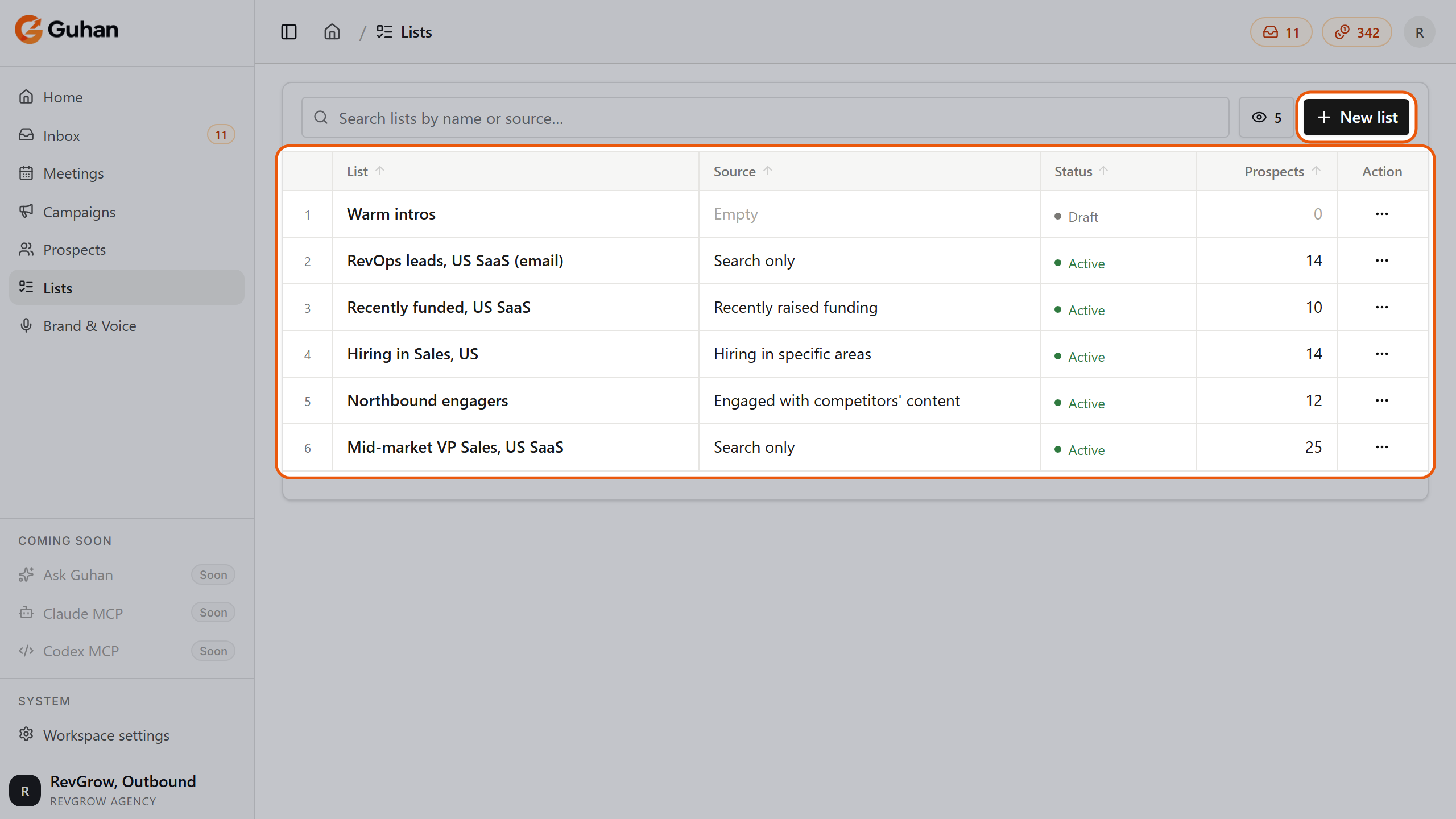
The Lists page: each List with its source, status and number of prospects. New list is at the top right
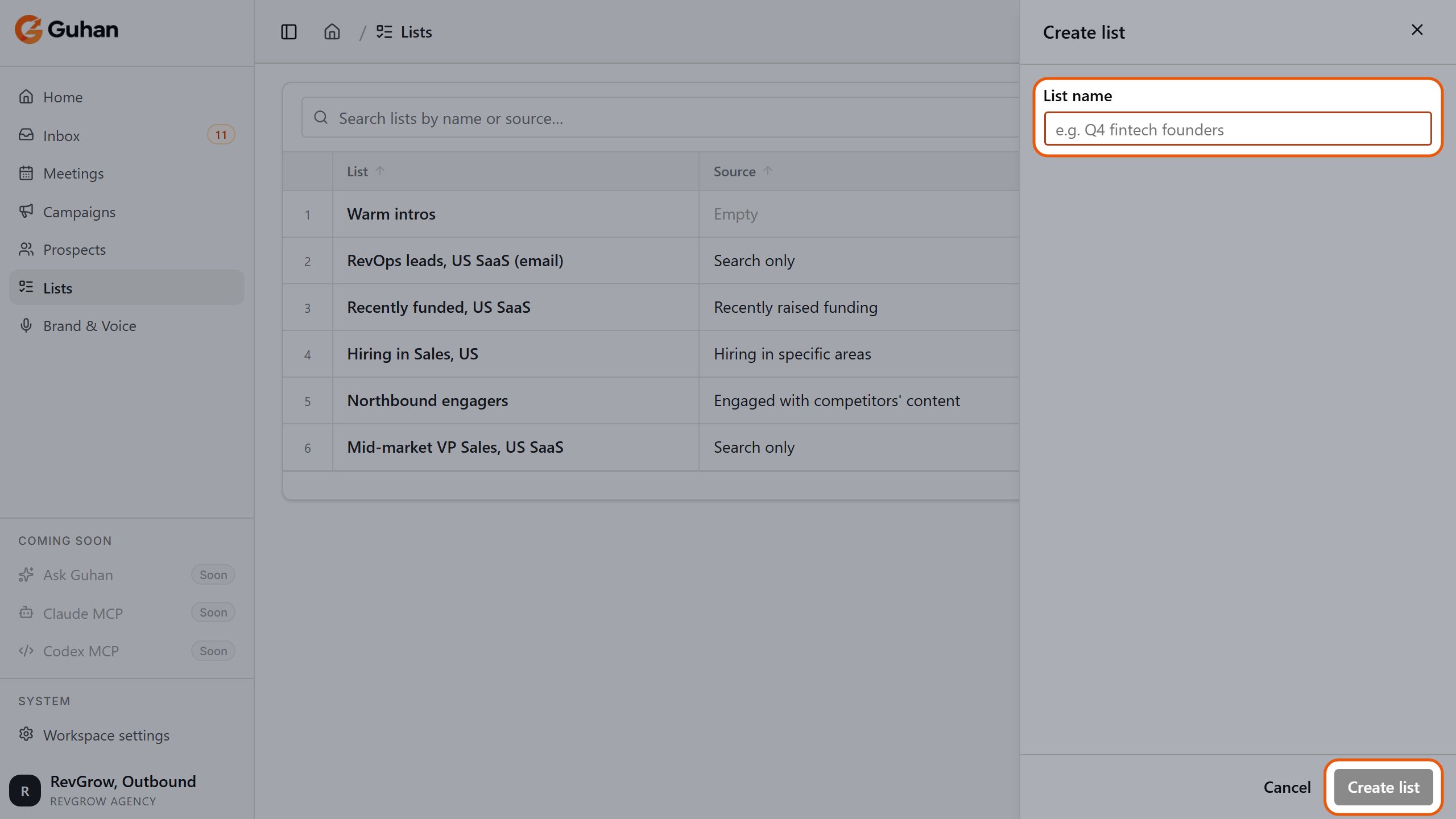
New list asks only for a name. The new List starts empty
What happens after people are found
Everything Guhan finds goes through a short sequence before it shows up as a prospect: your filters are applied, competitors and Do Not Contact entries are removed, and Guhan writes a research brief and a fit rating. How prospects get added walks through each step and explains what you pay for.The List page
Open a List from Lists in the sidebar. It has three tabs:- Prospects: everyone in the List, with the fit rating, search, filters and export.
- Sources: the search or signal feeding the List, whether it is on, and its watch activity (found, added, rejected).
- History: a log of edits made to the source.
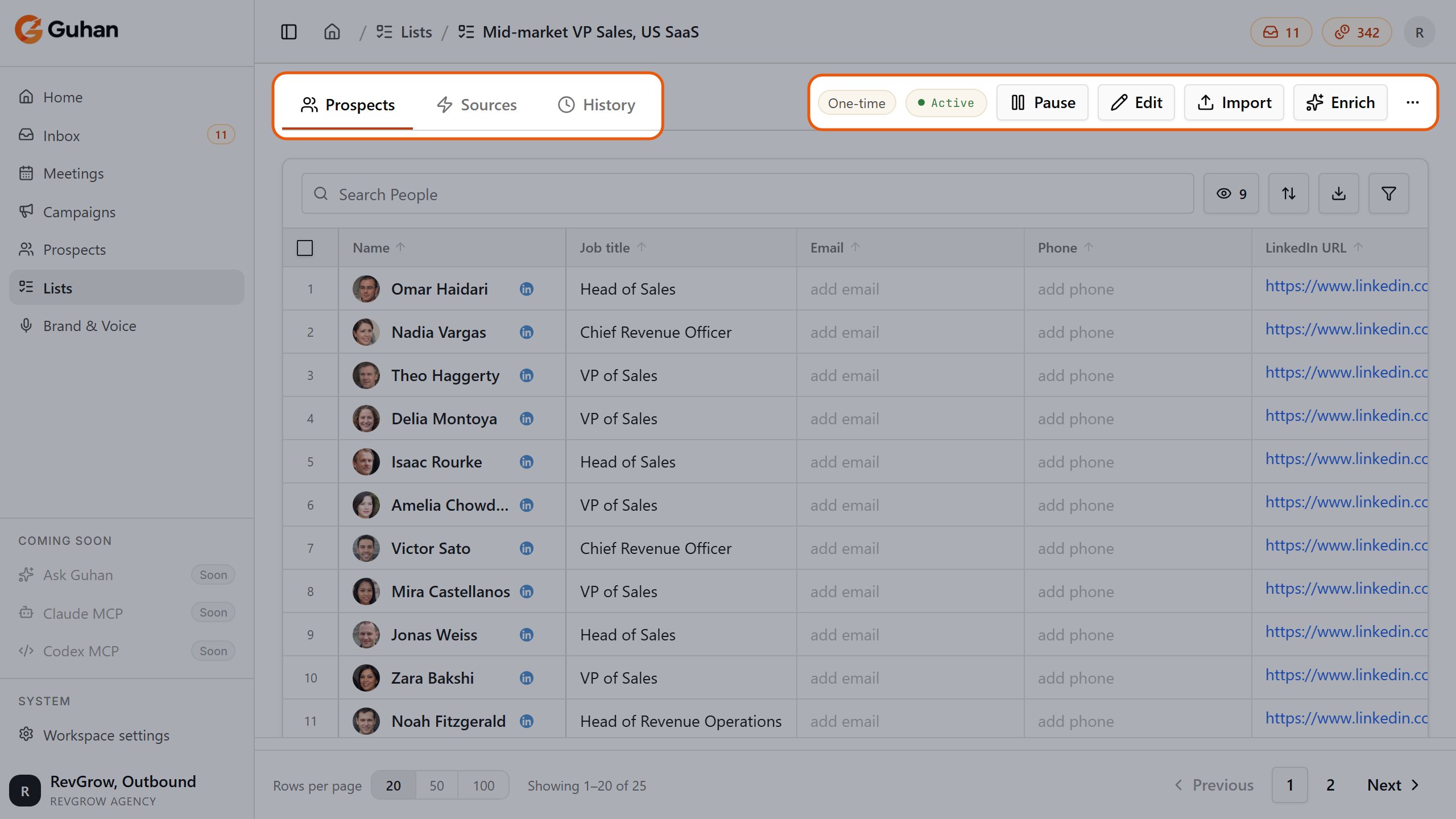
A List's page: the Prospects, Sources and History tabs, the One-time or Ongoing badge and status, and the Pause, Edit, Import and Enrich buttons and menu
Ongoing or one-time
When you set up a search or signal you choose a schedule:- Ongoing: Guhan keeps looking and adds new matches as they appear. You can set daily, weekly and monthly limits so a List does not grow faster than you can work it.
- One-time: Guhan runs the search once, up to the number of people you set (or the time window you pick for post-based signals), then stops. A One-time badge shows on the List.
Limits on a List
- CSV uploads, manual adds and clones count toward your active-prospect limit: 1,000 active prospects per sender (your licenses plus any extra senders). Prospects who unsubscribed, were stopped or finished a sequence do not count. Prospects found by a search or signal are not held to this limit, because you pay credits for them as they are found.
- Finding prospects costs credits. See How prospects get added and Plans and credits.
Removing prospects and deleting a List
- Remove a prospect from outreach from the List page (row menu, or select several) or from the prospect’s page. They stay in your workspace, but their status becomes unsubscribed and any active sequence for them stops. See Prospects.
- Delete a List from the List page menu or the Lists table (the menu on each row). This permanently removes the List, every prospect membership in it, and the source that fills it. The people themselves, and their membership in other Lists, are untouched. Deleting is blocked while a Campaign uses the List as its audience, so remove it from the Campaign first.
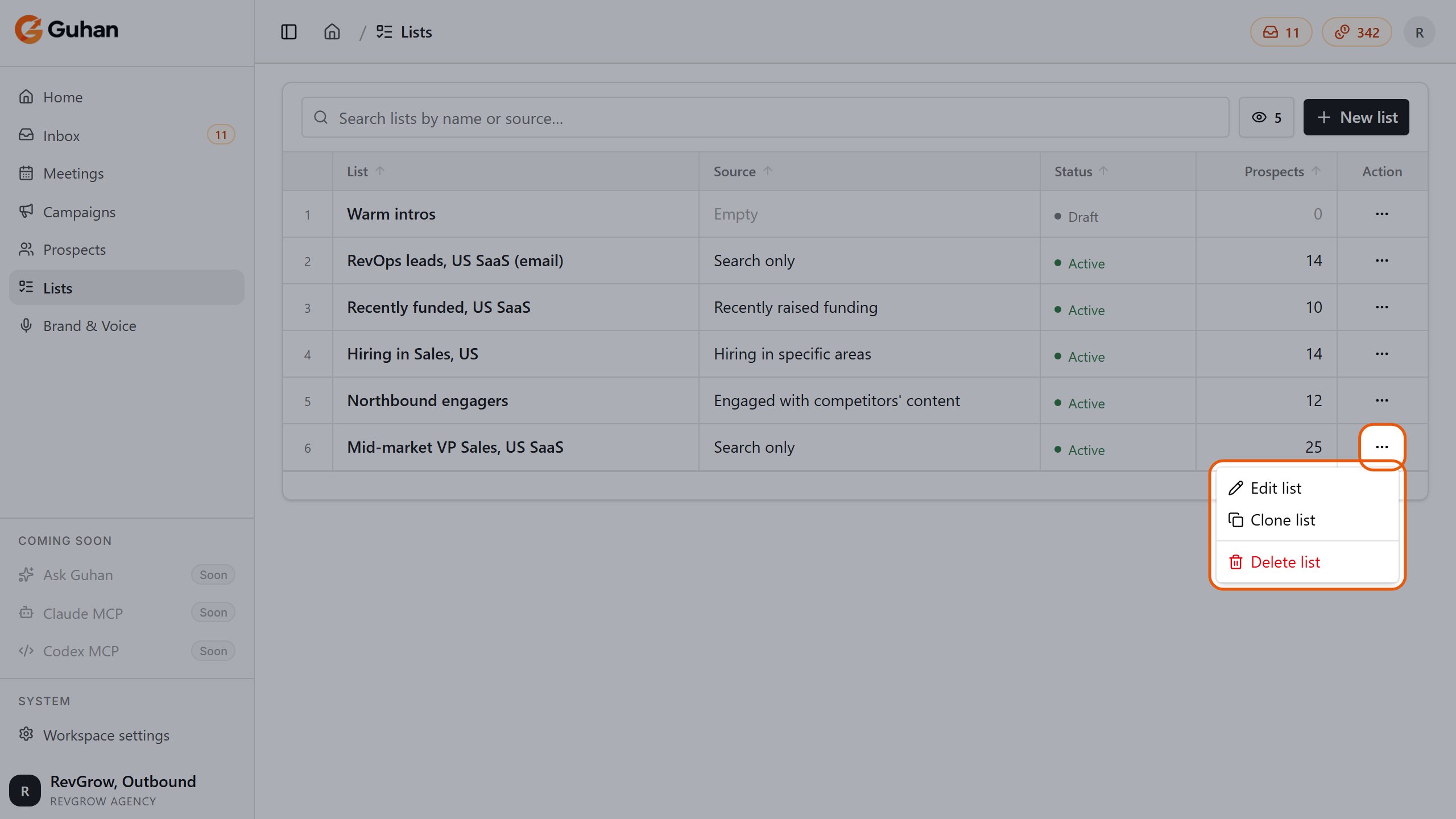
Each row's menu on the Lists page: Edit list, Clone list and Delete list
Related
Import leads
Search, signals, CSV and manual add, in detail.
Signal catalog
All nine buying signals and their options.
How prospects get added
Filters, the fit rating, and what each search costs.
Reviewing prospects
What to check after the first prospects are added and how to tighten.