

The People tab
Import leads
Create lead
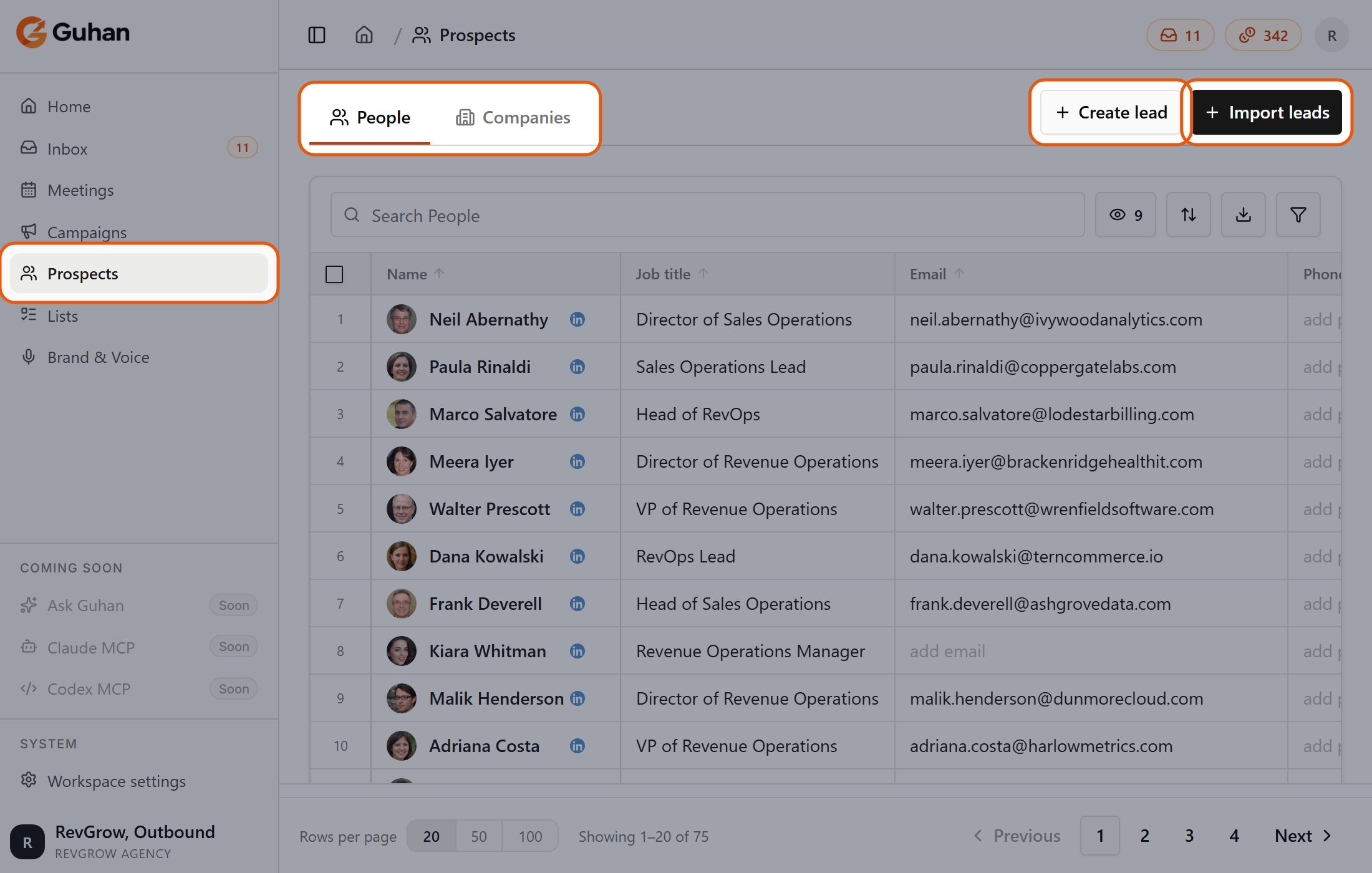
Prospects is in the sidebar. People and Companies are the two tabs, and Create lead and Import leads are at the top right
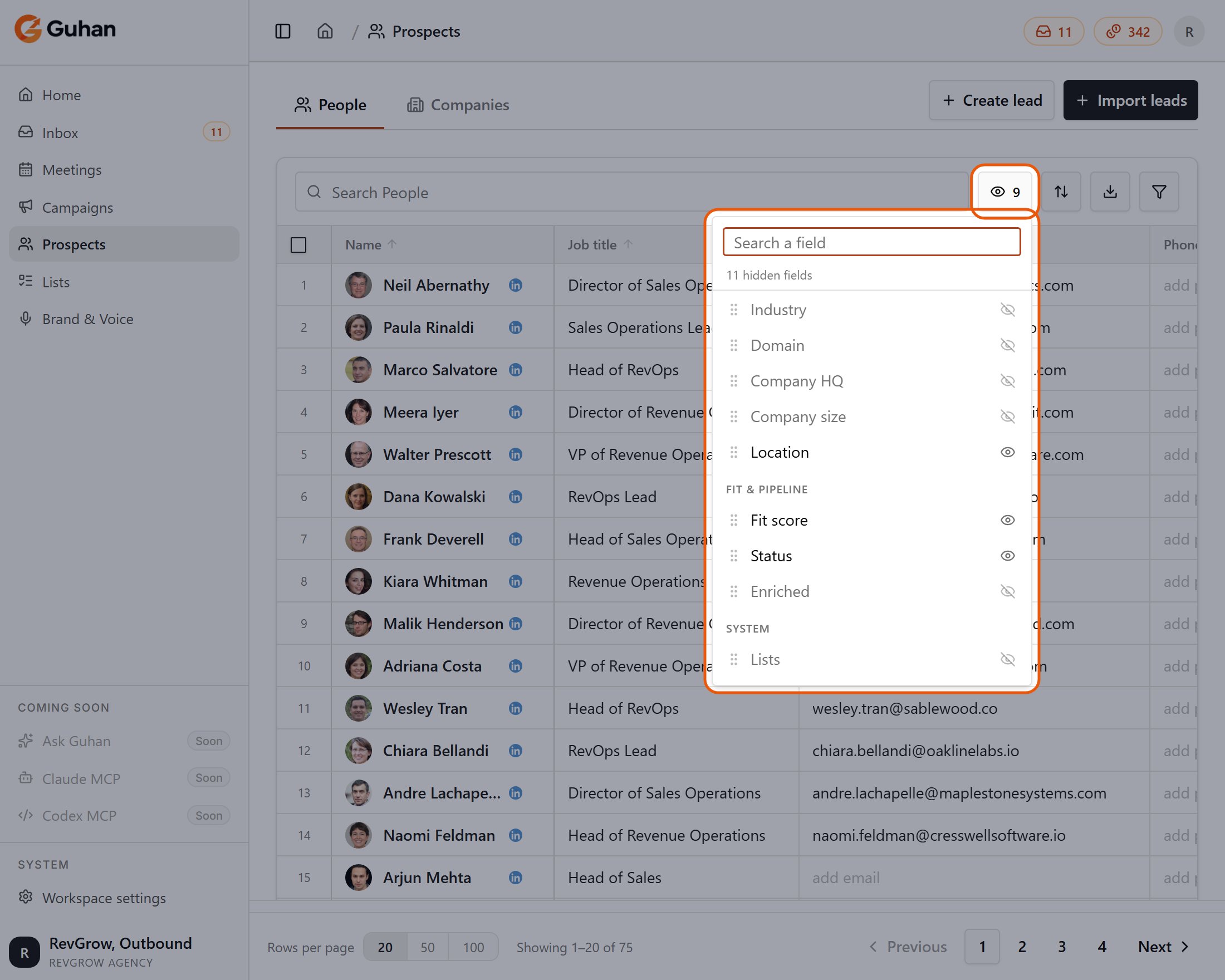
The column menu: switch any column on or off. Fit score and Status are in the Fit & pipeline group
- Filter with rules: name, job title, company, location, email, phone, LinkedIn URL, status, List, signal source and Campaign. Rules combine with “and”.
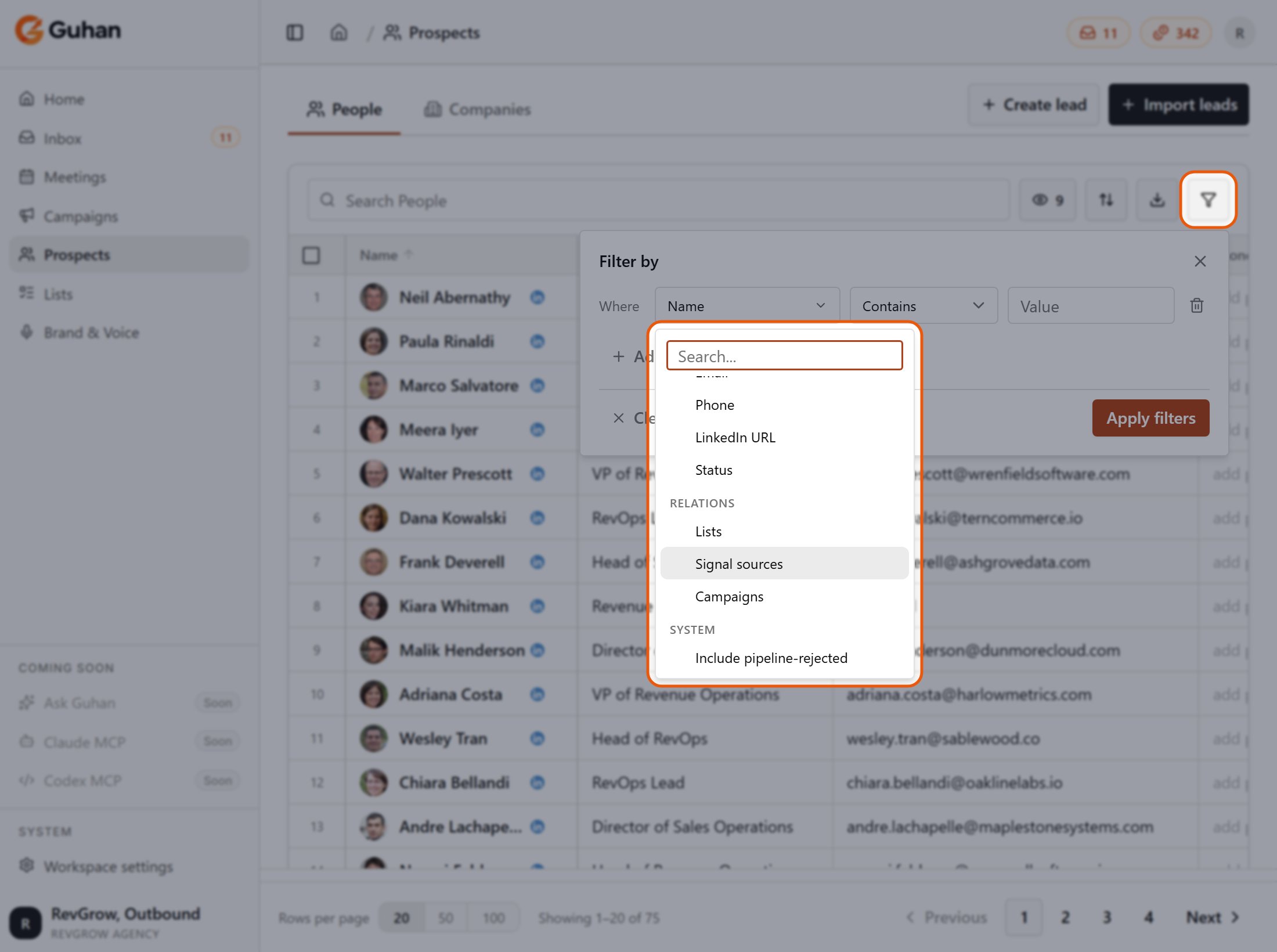
Filter: pick a field, an operator and a value. Include pipeline-rejected is at the end of the field list
- Edit in place: click a cell to edit name, title, company, location, email or phone. Editing a company detail such as industry or size changes it for the company record, and so for every prospect there.
- Select people: tick rows, or tick the box in the column header to select the whole page. When more people match your filters than fit on a page, a bar appears: Select all N matching your filters. That selects everyone who matches, across pages, up to 10,000. Changing a filter clears the selection. Enrich works on the people ticked on the current page; Add to list and Export also work on a select-all.
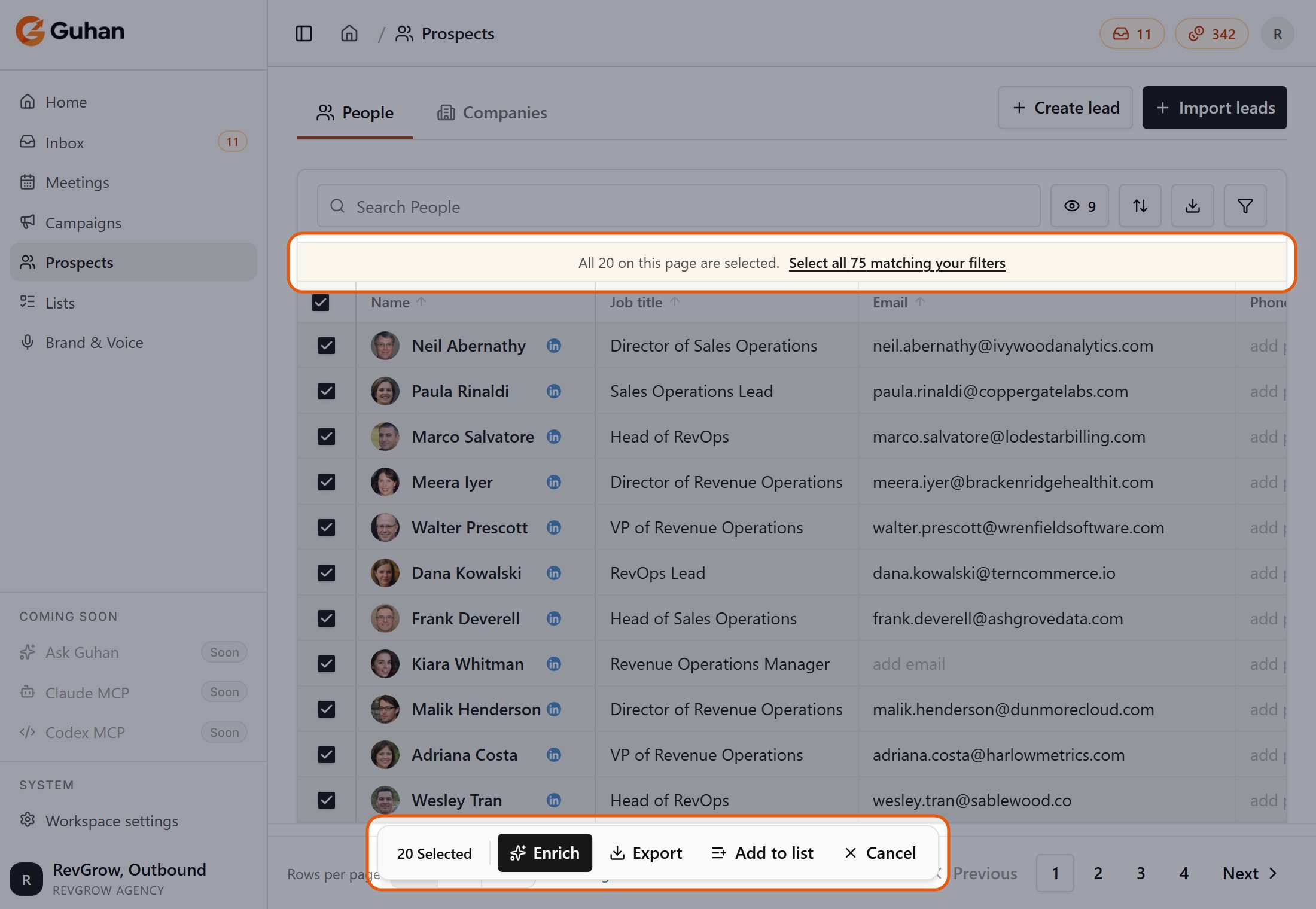
Tick the header box to select the page. Select all 75 matching your filters appears above the table, and the bar at the bottom has Enrich, Export, Add to list and Cancel
- Add to list: with people selected, choose Add to list to put them in another List, for example to start a new Campaign with a filtered group. Pick a List that is not fed by a search or signal, or create a new one. Anyone already in that List is skipped. See Add people to a List.
- Export CSV: exports the filtered view, or only the rows you selected. Up to 10,000 prospects per export; narrow your filters if you have more.
- Rejected people: by default the table shows people who were added to your Lists. Add the Include pipeline-rejected filter to see people Guhan found but filtered out. See How prospects get added.
Add people to a List
Filter the table to the group you want, select them, and click Add to list.Select people
Choose the List
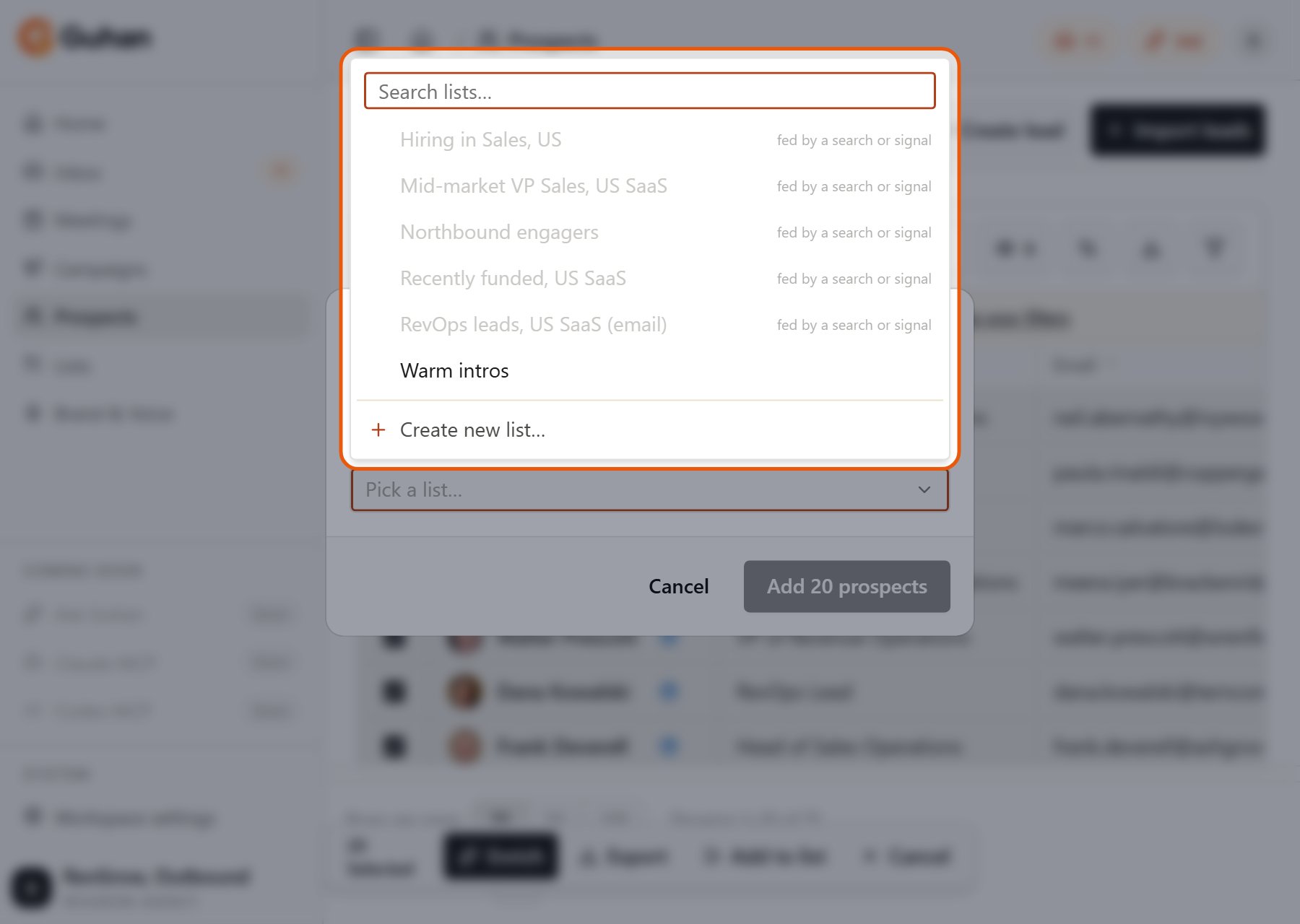
Pick a List or create a new one. Lists fed by a search or signal are greyed out
Confirm
Status
The prospect page
Click a name to open the prospect in a side panel, or expand it to a full page. Tabs:- Details: editable fields, with an Enrich button that refreshes their LinkedIn profile.
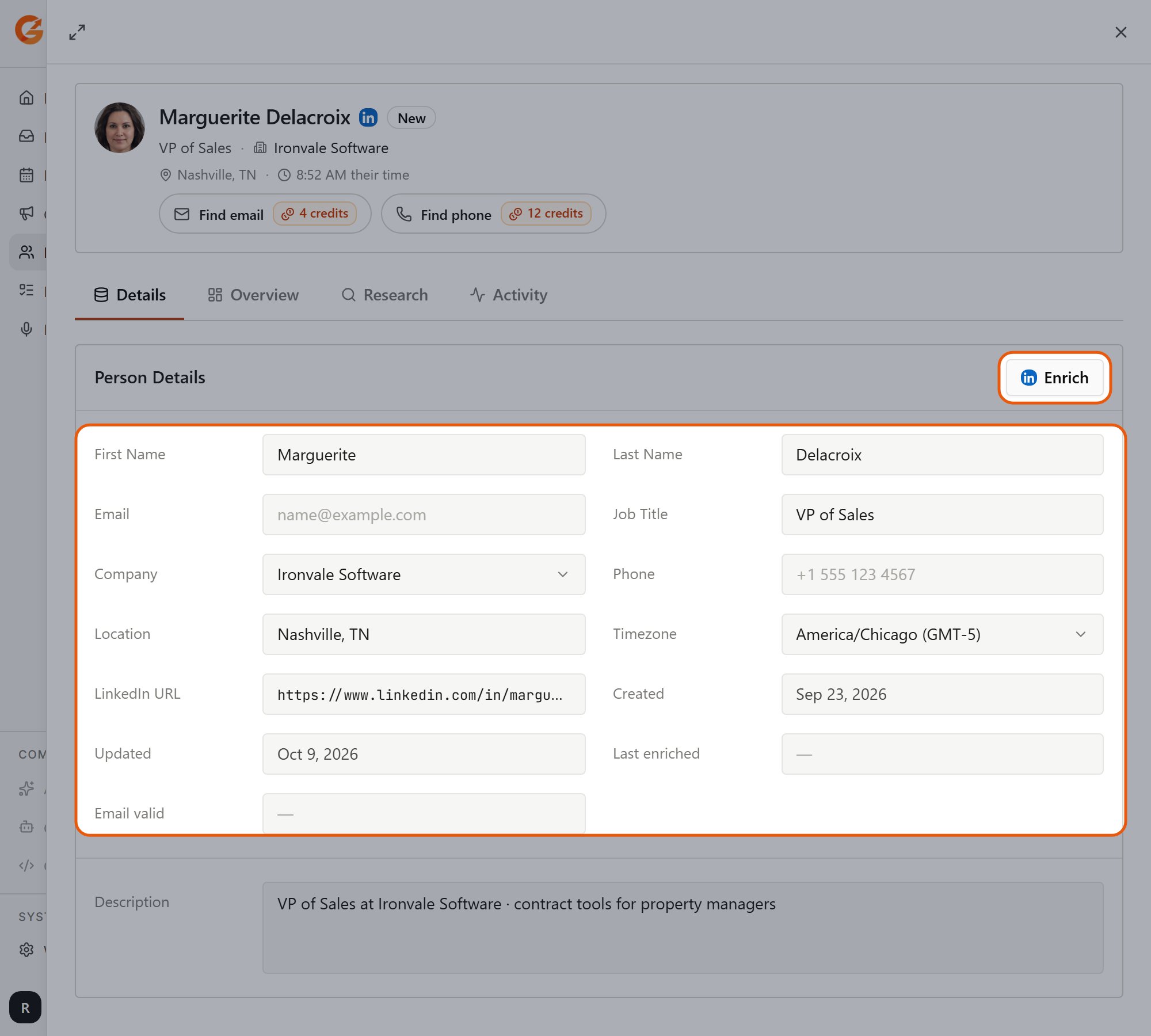
The Details tab: editable fields, and an Enrich button
- Overview: contact channels, company, Signals: why we matched, List memberships, and role and experience.
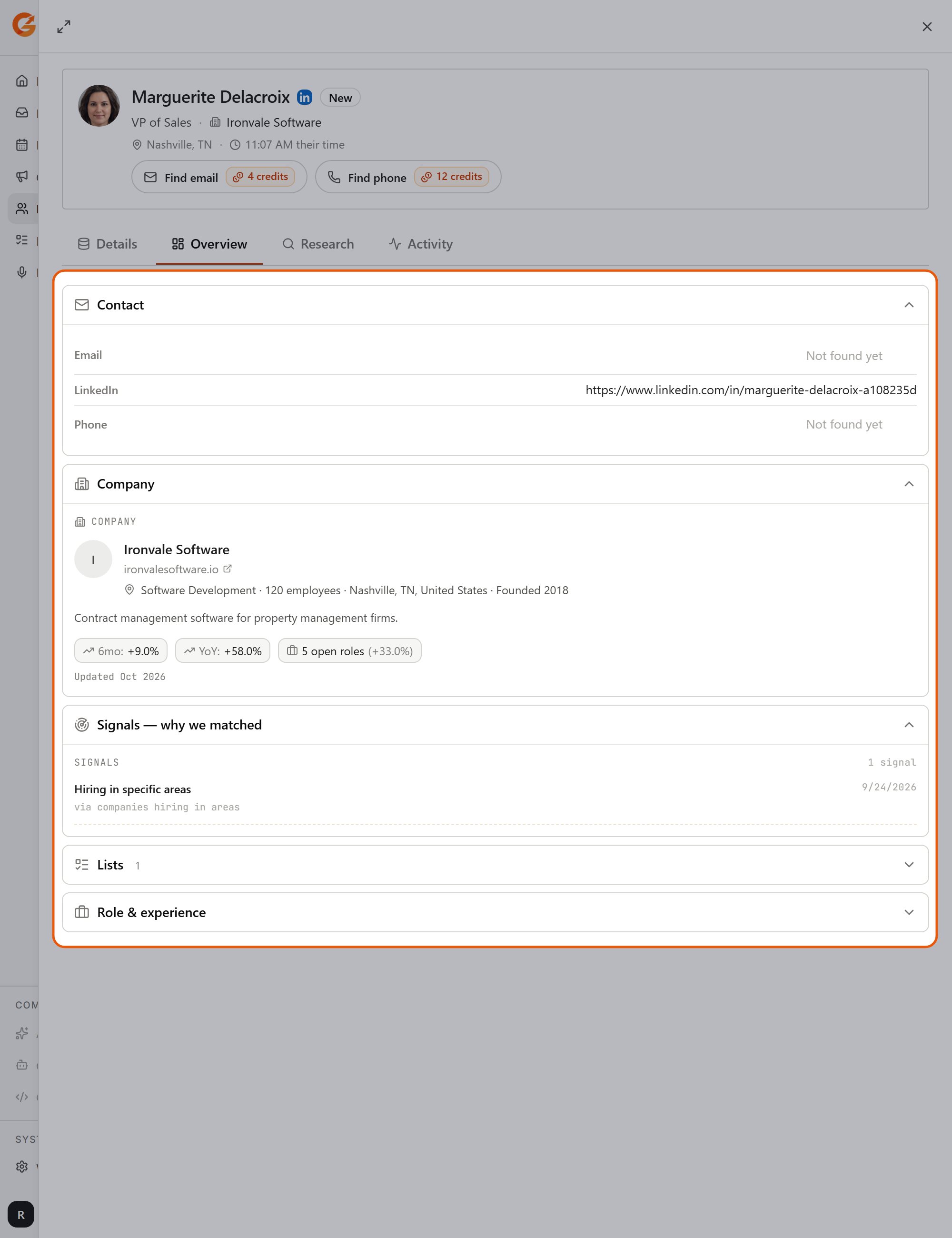
The Overview tab: contact, company, signals, Lists, and role and experience
- Research: the research brief, fit rating and per-Product ratings. See How prospects get added.
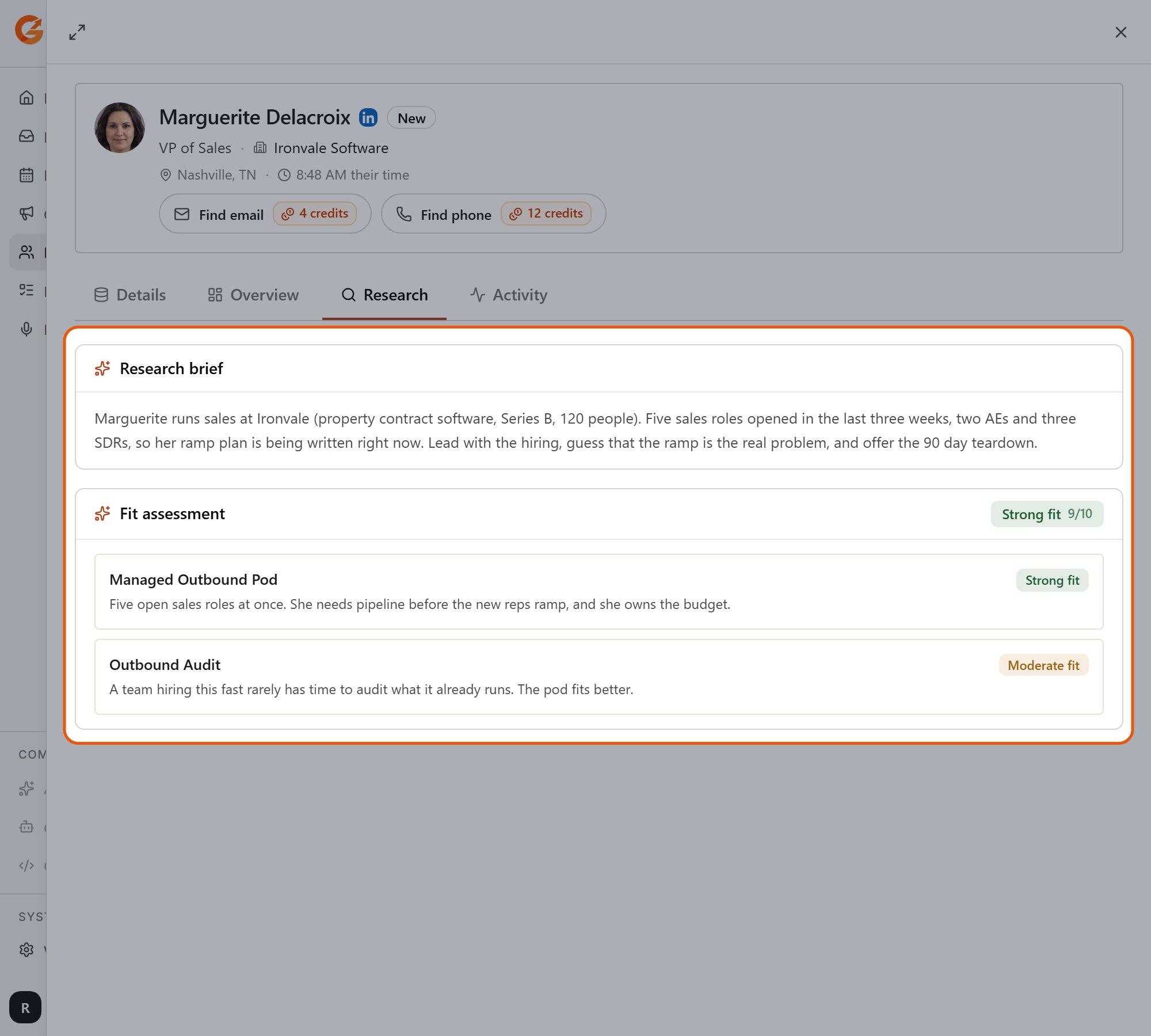
The Research tab: the research brief and a fit rating for each product
- Activity: every message, reply and event for this person.
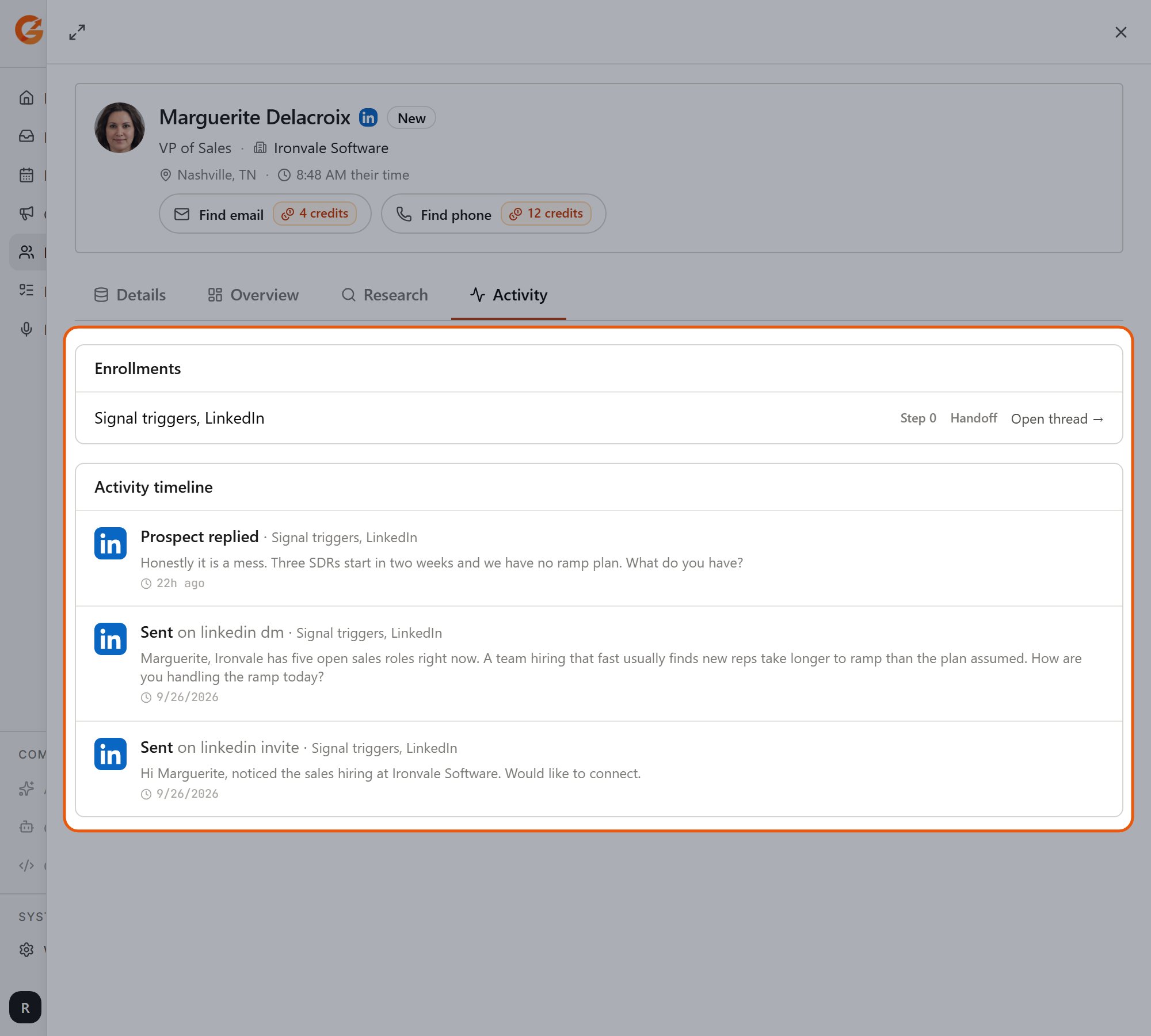
The Activity tab: enrollments and every message and event for this person
Contact details and reveal
LinkedIn is the main channel. Email and phone are not included by default.- Find email: 4 credits.
- Find phone: 12 credits. Phone is needed for WhatsApp.
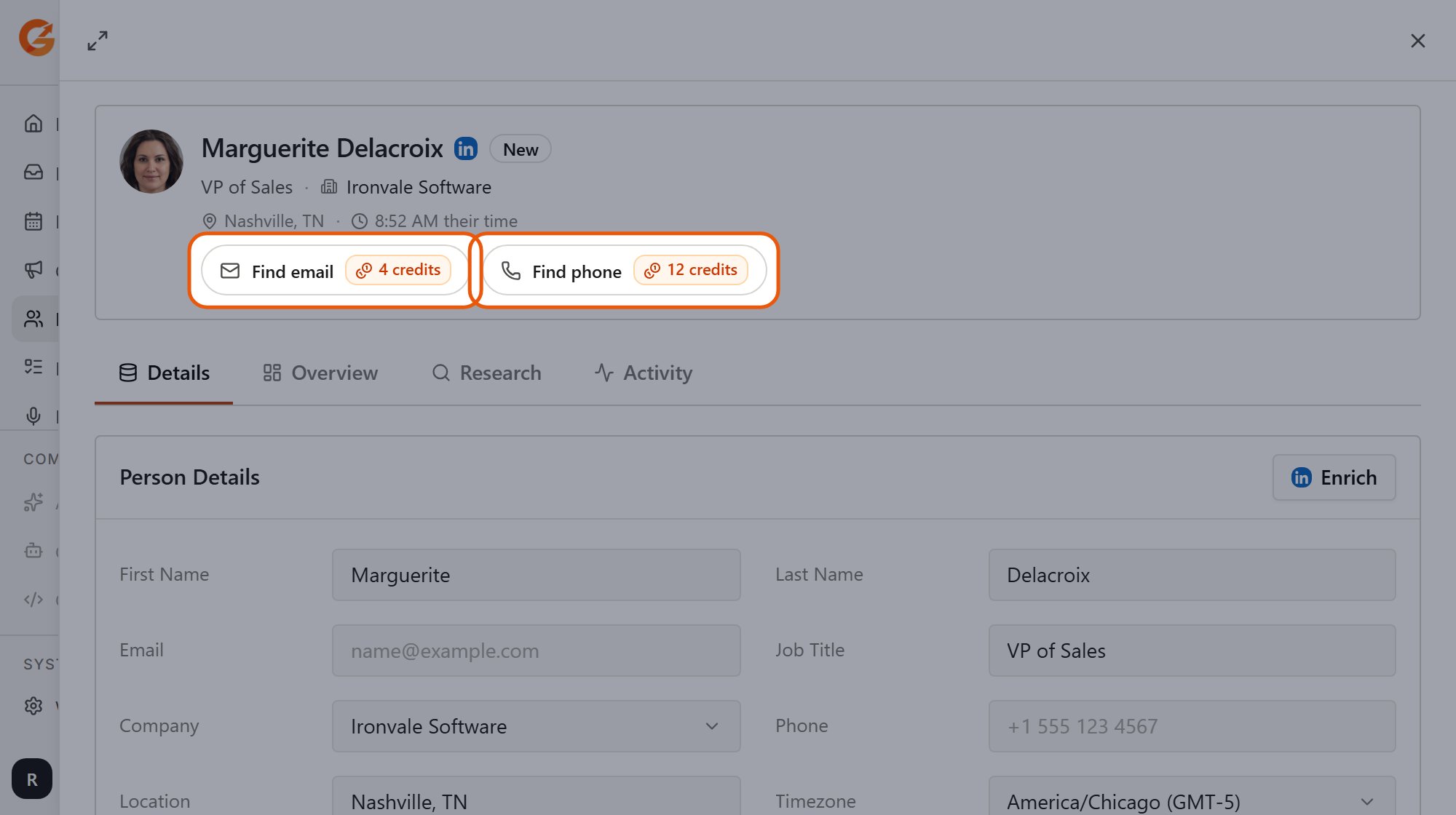
Find email (4 credits) and Find phone (12 credits) sit under the prospect's name
Removing a prospect
On a prospect’s page (the … menu) or in a List’s table (row menu, or select several), choose Remove from outreach.- The prospect’s status becomes unsubscribed and any active or paused Campaign sequence for them stops.
- The person is not erased. Their record stays in your workspace.
- This is not Do Not Contact. If you never want to reach this person or company again, add them to Do Not Contact.
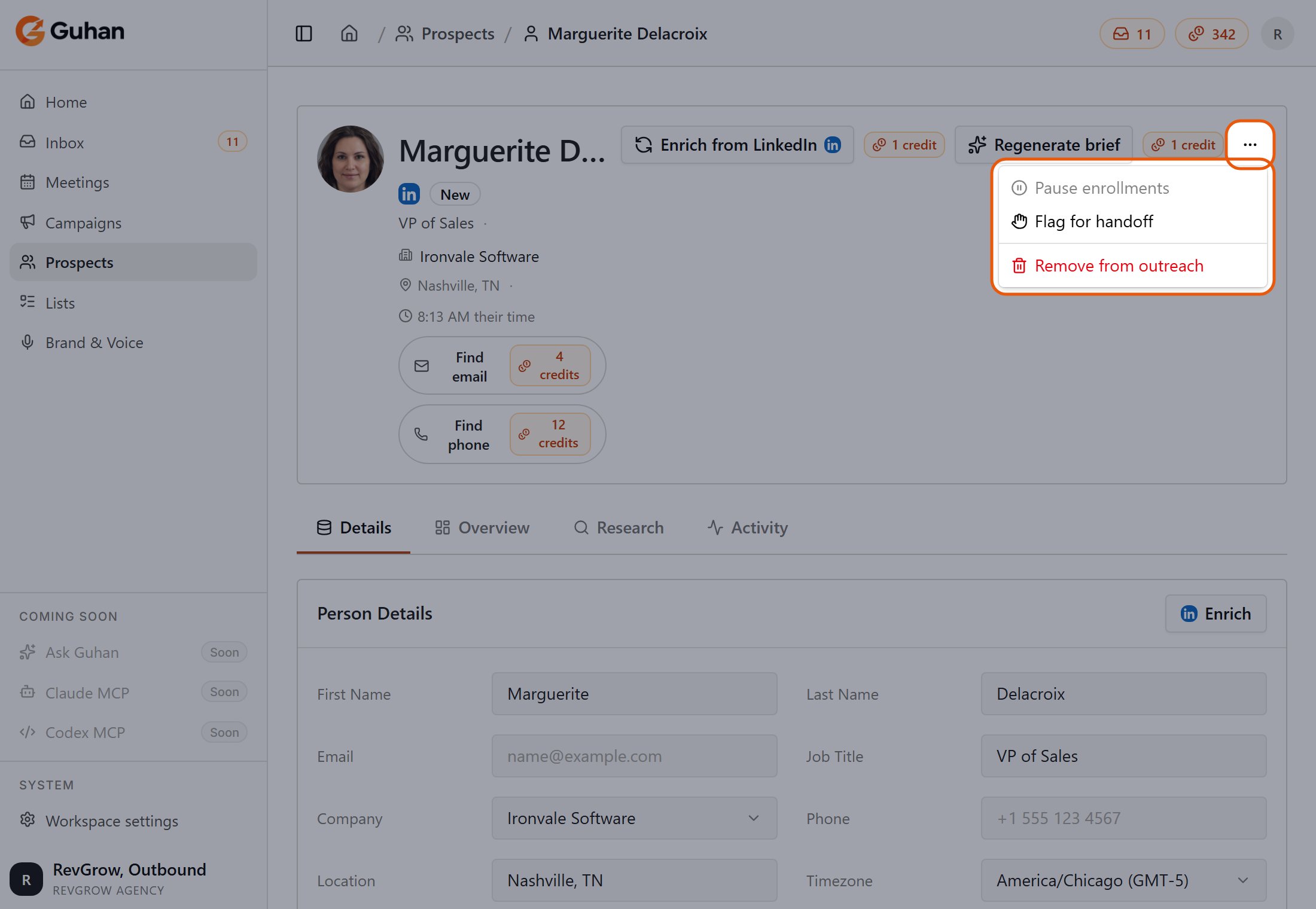
On the full prospect page, the ... menu has Pause enrollments, Flag for handoff and Remove from outreach
If something looks off
A prospect has no job title or company
A prospect has no job title or company
The fit rating says Pending…
The fit rating says Pending…
I cannot reveal an email
I cannot reveal an email